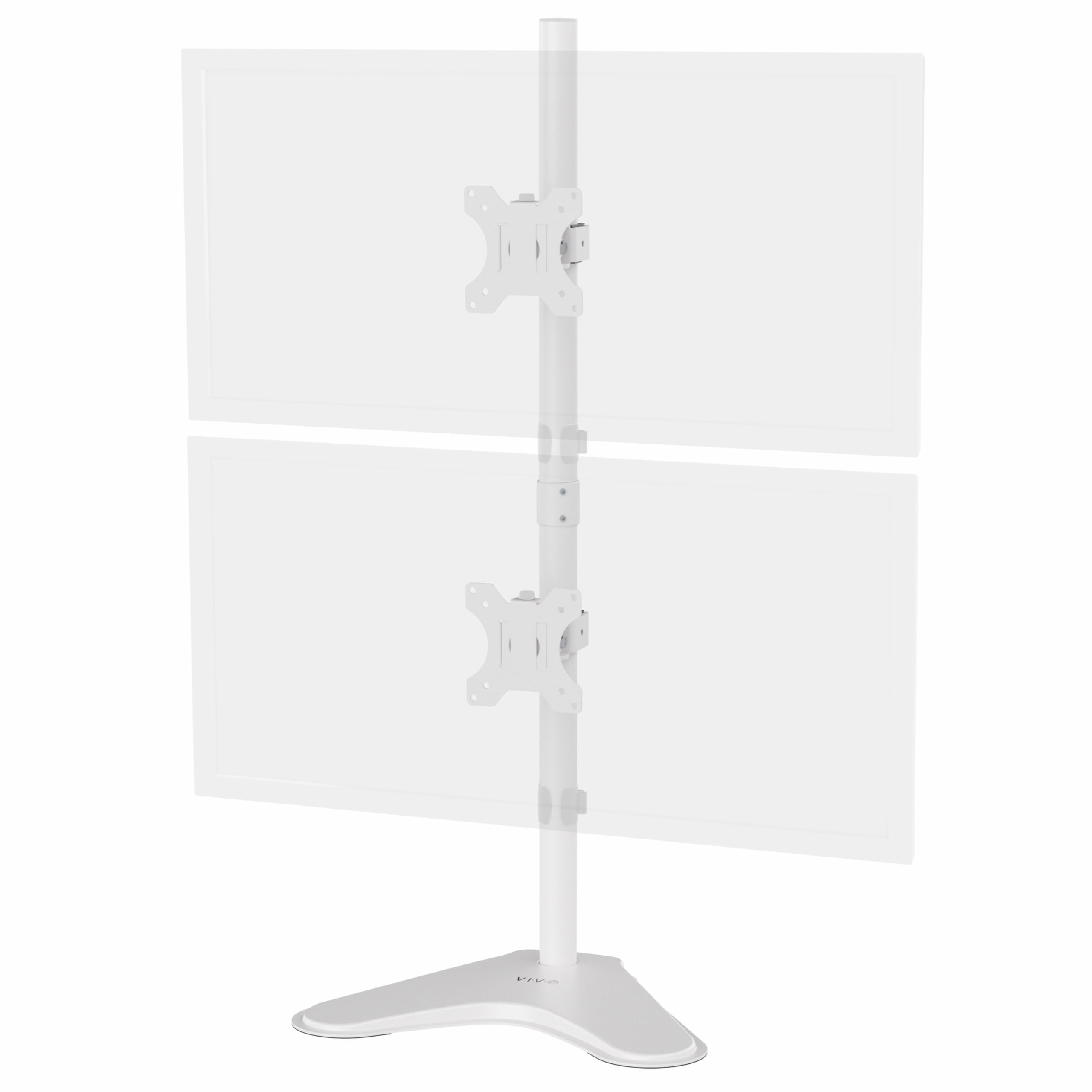
The VIVO STAND-V002LW is a freestanding vertical mount for two monitors, with support for screens up to 34 inches and 22 pounds each.
This vivo dual monitor stand review looks at its stacked layout, adjustment range, and desk-friendly base to help determine whether it suits your workspace.
VIVO Dual Stand Review Summary
The quick verdict
3,000+ ratings
Read Amazon ReviewsVIVO STAND-V002LW Dual Monitor Desk Stand
A freestanding stacked mount for buyers fitting two VESA-compatible screens, including ultrawides up to 34 inches, while keeping the desk free of clamp hardware.
- Freestanding vertical design holds two monitors in a stacked position.
- Fits screens from 13 to 34 inches and supports up to 22 pounds per screen.
- Compatible with 75 × 75 mm and 100 × 100 mm VESA mounting holes.
- Adjustable brackets provide +45° to -45° tilt, 180° swivel, 360° rotation, and height adjustment along the center pole.

Pros
- Accommodates two monitors up to 34 inches and 22 pounds each, useful for compatible ultrawide setups.
- Freestanding base offers a mounting option that does not depend on a desk-edge clamp.
Consider before buying
- The stacked layout places one screen above the other, which may not suit buyers who prefer a side-by-side arrangement.
- The base occupies a 15.4 × 12.4-inch area, so check that your desk has enough clear surface.
Read the full review summary
This stand is designed for a specific kind of dual-screen setup: one monitor above the other, supported by a center pole and a broad tabletop base.
Its 13-to-34-inch screen range and 22-pound-per-screen limit give it room for many standard displays and some ultrawides, provided each monitor has a 75 × 75 mm or 100 × 100 mm VESA pattern.
The freestanding base avoids relying on a desk-edge clamp, and its padded underside is intended to protect the work surface from scratches.
Tilt, swivel, rotation, and height adjustment help with positioning; cable management and removable VESA plates also make setup more orderly. Consider it when a vertical arrangement suits your workflow and your desk can accommodate the base footprint.
The buying factors
VIVO Dual Stand Scorecard
Editorial scores reflect listed features and buyer fit; they are not laboratory measurements or customer ratings.
Screen compatibility
Supports two 13-to-34-inch monitors up to 22 pounds each, with common 75 × 75 mm and 100 × 100 mm VESA patterns.
Adjustment flexibility
Each screen can tilt, swivel, rotate, and move in height along the center pole, allowing portrait or landscape orientation.
Desk placement
The freestanding base avoids a desk clamp and includes padding underneath, though its 15.4 × 12.4-inch footprint needs room.
Workspace organization
Integrated cable management is useful for tidying monitor wires, while elevating both screens can leave the desktop clearer.
Installation convenience
Removable VESA plates, included hardware, and instructions are intended to simplify assembly and monitor attachment.
Layout versatility
The vertical stacked configuration is useful when desk width is limited, but it is a fixed two-screen arrangement rather than side by side.
Key Features and Specifications of VIVO Dual Stand
- Freestanding vertical design holds two monitors in a stacked position.
- Fits screens from 13 to 34 inches and supports up to 22 pounds per screen.
- Compatible with 75 × 75 mm and 100 × 100 mm VESA mounting holes.
- Adjustable brackets provide +45° to -45° tilt, 180° swivel, 360° rotation, and height adjustment along the center pole.
- Monitors can be positioned in portrait or landscape orientation.
- The 15.4 × 12.4-inch base has padding underneath to help protect the desk surface.
- Integrated cable management, removable VESA plates, assembly hardware, instructions, and a three-year warranty are included.
Pros and Cons of VIVO Dual Stand
Pros
- Accommodates two monitors up to 34 inches and 22 pounds each, useful for compatible ultrawide setups.
- Freestanding base offers a mounting option that does not depend on a desk-edge clamp.
- Multiple adjustment directions and portrait or landscape positioning help adapt the screens to different tasks.
- Padded base and cable management address desk protection and cord organization.
Consider before buying
- The stacked layout places one screen above the other, which may not suit buyers who prefer a side-by-side arrangement.
- The base occupies a 15.4 × 12.4-inch area, so check that your desk has enough clear surface.
- Each monitor needs compatible VESA mounting holes and must stay within the specified size and weight limits.
Who Should Buy VIVO Dual Stand?
Good fit
Choose the VIVO STAND-V002LW if you want two screens arranged vertically and prefer a freestanding base over a clamp-based mount.
Its screen capacity reaches up to 34 inches and 22 pounds per display, while the adjustment options let you fine-tune tilt, swivel, rotation, and height for a useful working position.
Before buying, measure the available desk area for the base and verify the size, weight, and VESA pattern of both monitors.
This is particularly relevant when using larger ultrawides, since compatibility depends on each screen meeting all of the mount’s stated limits.
The removable VESA plates, cable management, padded base, and three-year warranty round out a practical setup for a home office or workstation where a vertical pair makes sense.
The strongest reason to choose it is the combination of a freestanding footprint and broad screen support.
Who should skip it
Skip this design if you need two monitors arranged horizontally across the desk; this model is intended to stack them vertically.
Look elsewhere if either screen exceeds 34 inches or 22 pounds, lacks a 75 × 75 mm or 100 × 100 mm VESA pattern, or if your desk cannot spare the base footprint.
How the VIVO Dual Stand Fits a Two-Screen Workspace
A stacked layout for limited desk width
The vertical arrangement can make sense where desk width is at a premium or where two screens serve different roles, such as a main display and a reference screen.
It also changes the viewing geometry: the upper monitor sits above the lower one, so consider how often you need to look at each screen and whether that placement suits your routine.
Check the monitor match before assembling
Screen size alone does not establish fit. Each monitor must be 13 to 34 inches, weigh no more than 22 pounds, and use one of the supported VESA patterns.
Confirm those details for both displays before attaching them, especially if the monitors differ in size or model.
A base that needs clear tabletop space
The 15.4 × 12.4-inch base provides the stand’s freestanding support and has padding underneath. That avoids a clamp at the rear desk edge, but the base still occupies usable surface area.
Measure a clear spot and consider nearby keyboards, notebooks, or other equipment when deciding where to place it.
Positioning and cable tidiness
Tilt, swivel, rotation, and height adjustment along the pole give you several ways to orient each display.
The ability to choose portrait or landscape can help when tasks call for different screen shapes, while integrated cable management helps route cords more neatly.
Plan cable slack around your final positions so adjustments do not pull the connections taut.
Alternatives to VIVO Dual Stand
Computer Monitor Arms alternative
60,000+ ratings
Read Amazon ReviewsVIVO STAND-V038 Dual Ultrawide Monitor Desk Mount
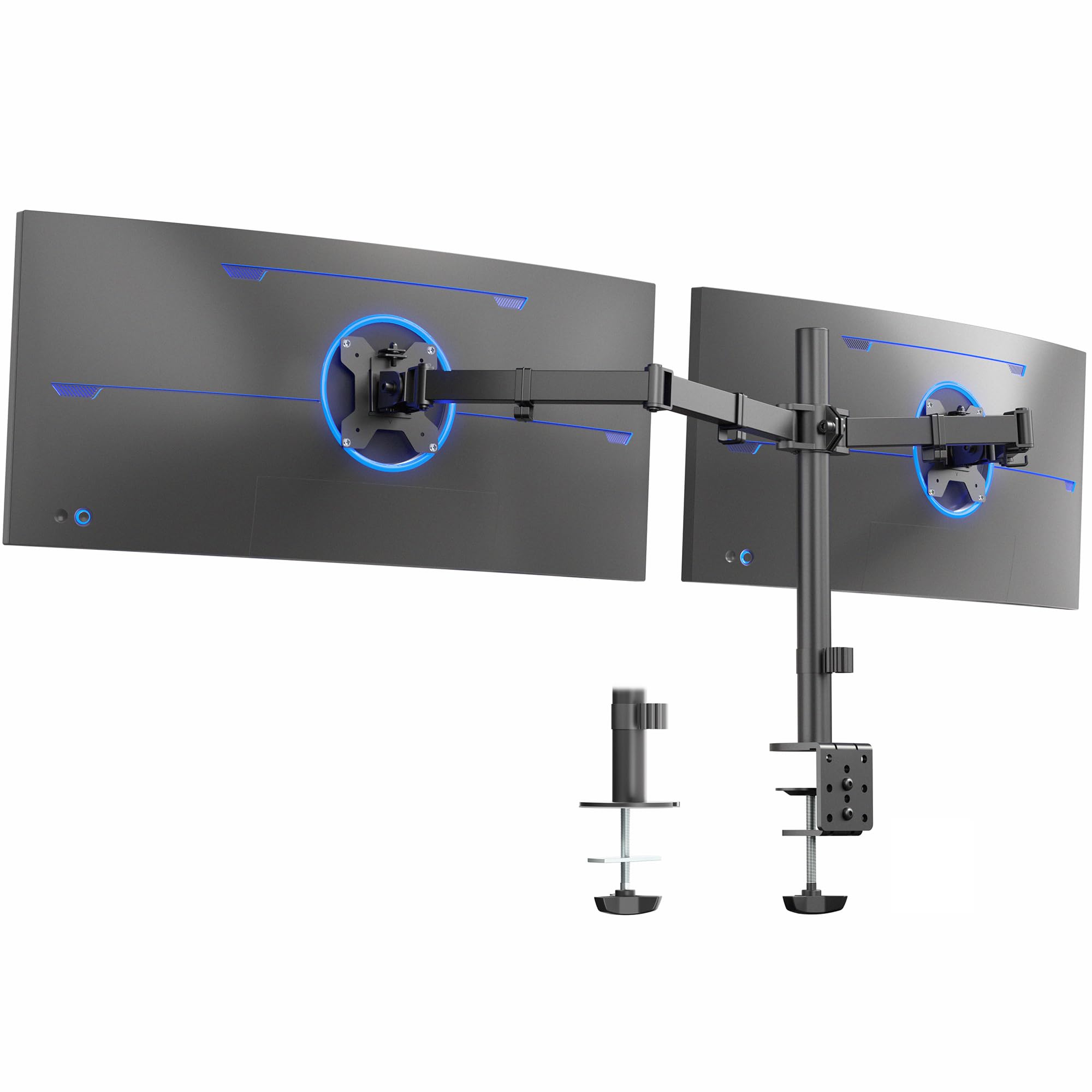
Consider the STAND-V038 if your monitors exceed 34 inches or you prefer a desk-mounted configuration; choose the STAND-V002LW if a freestanding base and stacked arrangement better fit your setup.
- The STAND-V038 supports two screens up to 38 inches and 22 pounds each.
- It uses a C-clamp for desks up to 3.25 inches thick or an optional grommet mount, and provides tilt, swivel, rotation, height adjustment, and cable clips.
- The STAND-V002LW is a freestanding vertical stand for two screens up to 34 inches and 22 pounds each, with a 15.4 × 12.4-inch base.
Computer Monitor Arms alternative
5,000+ ratings
Read Amazon ReviewsHUANUO HNDS7 Dual Monitor Stand
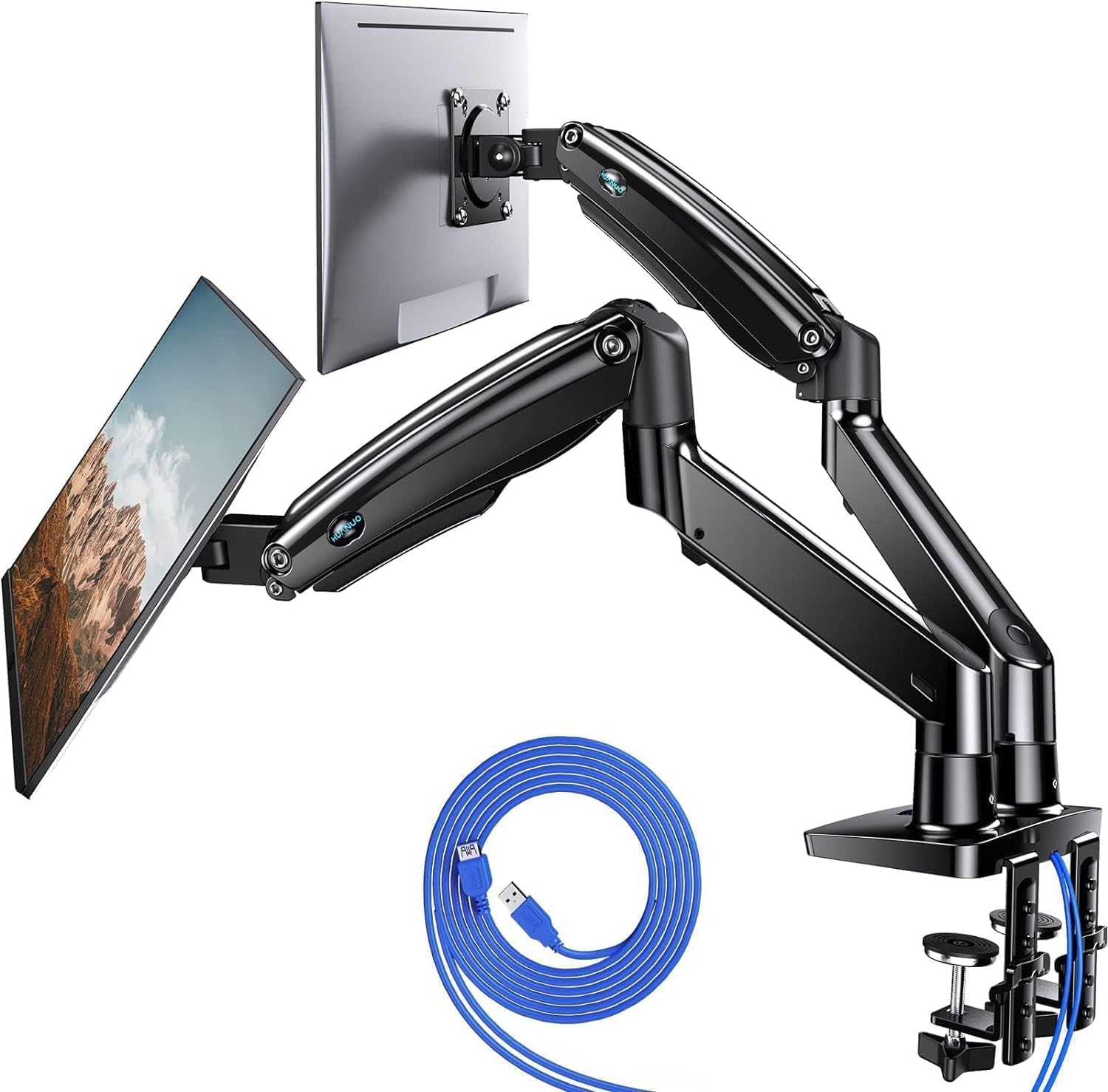
The HNDS7 is a better fit if you need support for larger or heavier monitors, adjustable arms, or built-in USB ports and can use its clamp or grommet installation.
The VIVO is worth considering when you specifically want a freestanding vertical stand.
- The HUANUO HNDS7 supports two 13-to-40-inch screens up to 26.4 pounds per arm.
- It offers clamp or bolt-through grommet mounting, arm extension, tilt, swivel, rotation, cable management, and two built-in USB ports.
- The VIVO STAND-V002LW has a freestanding vertical configuration and supports screens up to 34 inches and 22 pounds each.
Is VIVO Dual Stand Worth It?
The VIVO STAND-V002LW is worth considering for a compatible two-monitor setup where stacking screens vertically is useful and a freestanding base is preferable to a desk clamp.
Its broad screen range, 22-pound-per-screen capacity, adjustment options, and padded base make it a practical option to evaluate.
Measure the desk footprint and confirm both monitors’ VESA patterns, size, and weight before choosing it. If you need a horizontal layout or more room for larger displays, compare a mount designed for that arrangement and capacity.
Your review at a glance
3,000+ ratings
Read Amazon ReviewsVIVO STAND-V002LW Dual Monitor Desk Stand
A freestanding stacked mount for buyers fitting two VESA-compatible screens, including ultrawides up to 34 inches, while keeping the desk free of clamp hardware.
- Freestanding vertical design holds two monitors in a stacked position.
- Fits screens from 13 to 34 inches and supports up to 22 pounds per screen.
- Compatible with 75 × 75 mm and 100 × 100 mm VESA mounting holes.
- Adjustable brackets provide +45° to -45° tilt, 180° swivel, 360° rotation, and height adjustment along the center pole.