The TP-Link UB500 Plus is a USB Bluetooth adapter for desktop and laptop owners who want to add wireless connectivity or update an older PC setup.
This TP-Link USB Bluetooth Adapter review looks at its Bluetooth 5.3 support, adjustable antenna, and Windows setup requirements.
TP-Link UB500 Plus Review Summary
The quick verdict
1,000+ ratings
Read Amazon ReviewsTP-Link UB500 Plus
A USB Bluetooth upgrade for Windows PC owners who want a newer standard, an adjustable antenna, and support for older Bluetooth devices.
- Bluetooth 5.3 with EDR, plus backward compatibility with Bluetooth 4.2, 4.0, 3.0, 2.1, 2.0, and 1.1.
- Designed to add Bluetooth capability to a non-Bluetooth desktop or laptop PC.
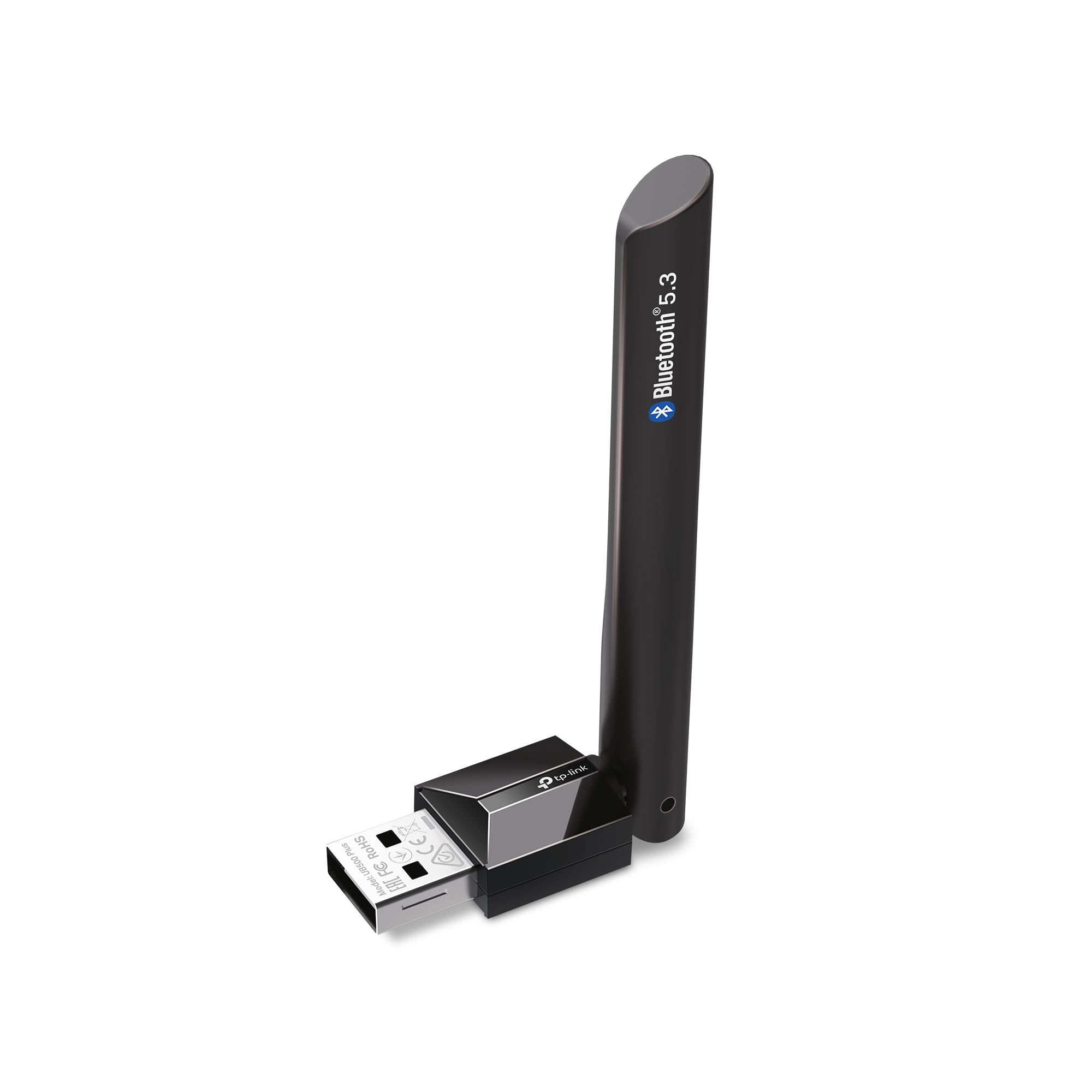
- Adjustable multidirectional antenna that can be rotated to change its position.
- Supports Bluetooth Low Energy as well as enhanced data rate technology.

Pros
- Bluetooth 5.3 support alongside compatibility with a wide range of older Bluetooth versions.
- The adjustable antenna offers more positioning flexibility than a fixed orientation.
Consider before buying
- Windows 7 users must obtain and install a driver instead of relying on the described plug-and-play setup.
- Plug-and-play setup for Windows 8.1, 10, and 11 depends on an internet connection.
Read the full review summary
The UB500 Plus pairs Bluetooth 5.3 with backward compatibility for versions 4.2, 4.0, 3.0, 2.1, 2.0, and 1.1.
That range can make it a practical bridge between a PC and older Bluetooth accessories, while EDR and Bluetooth Low Energy support cover different connection and power needs.
Its most distinctive physical feature is a rotatable, multidirectional antenna, which gives users some flexibility in how the adapter is positioned.
Windows 8.1, 10, and 11 are described as plug and play when the computer has internet access; Windows 7 requires a driver. That makes operating system and setup conditions important to check before buying.
The buying factors
TP-Link UB500 Plus Scorecard
Editorial scores reflect listed features and buyer fit; they are not laboratory measurements or customer ratings.
Bluetooth version coverage
Bluetooth 5.3 support and backward compatibility through version 1.1 cover a broad range of device generations.
Antenna flexibility
The adjustable, multidirectional antenna can be rotated to suit the adapter's position and surroundings.
Windows setup convenience
Plug and play is described for Windows 8.1, 10, and 11 with an internet connection; Windows 7 needs a driver.
Legacy device support
Compatibility includes several earlier Bluetooth versions, useful when replacing or adding connectivity around older peripherals.
Power and data features
EDR and Bluetooth Low Energy are included, though the description does not give device-specific performance results.
Everyday PC versatility
The adapter is intended for both desktop and laptop PCs and can add Bluetooth to a non-Bluetooth computer.
Key Features and Specifications of TP-Link UB500 Plus
- Bluetooth 5.3 with EDR, plus backward compatibility with Bluetooth 4.2, 4.0, 3.0, 2.1, 2.0, and 1.1.
- Designed to add Bluetooth capability to a non-Bluetooth desktop or laptop PC.
- Adjustable multidirectional antenna that can be rotated to change its position.
- Supports Bluetooth Low Energy as well as enhanced data rate technology.
- Plug and play for Windows 8.1, 10, and 11 when the computer is connected to the internet.
- Windows 7 support requires a driver that can be downloaded from the manufacturer's website.
Pros and Cons of TP-Link UB500 Plus
Pros
- Bluetooth 5.3 support alongside compatibility with a wide range of older Bluetooth versions.
- The adjustable antenna offers more positioning flexibility than a fixed orientation.
- EDR and Bluetooth Low Energy are both supported.
- Straightforward setup is described for several recent Windows versions, subject to internet access.
Consider before buying
- Windows 7 users must obtain and install a driver instead of relying on the described plug-and-play setup.
- Plug-and-play setup for Windows 8.1, 10, and 11 depends on an internet connection.
- The claimed coverage and speed improvements are comparisons with Bluetooth 4.0; actual results will depend on the PC, paired device, and surroundings.
Who Should Buy TP-Link UB500 Plus?
Good fit
Consider the UB500 Plus if your Windows desktop or laptop lacks Bluetooth and you want one adapter to work with newer and older Bluetooth accessories.
Its version compatibility gives it flexibility for mixed-age devices, while the antenna can be repositioned to better suit the computer's placement.
It may also suit buyers who value having both EDR and Bluetooth Low Energy support.
Before choosing it, confirm your Windows version and whether the computer can connect to the internet during setup; if you use Windows 7, plan to download the required driver.
Who should skip it
Skip it if you need a Bluetooth adapter with setup that does not depend on internet access for the listed plug-and-play Windows versions, or if you do not want to install a driver on a Windows 7 computer.
If your main priority is a particular range or speed in a difficult room, treat the stated improvements over Bluetooth 4.0 as design claims rather than a guarantee for your equipment.
Check whether the adapter's placement and antenna adjustment suit your setup.
What the TP-Link UB500 Plus Means for a PC Setup
Bluetooth versions and older accessories
Bluetooth 5.3 support is paired with compatibility for versions reaching back to 1.1.
That breadth is useful when a PC has to connect with accessories from different generations, although compatibility alone cannot establish how every device will pair or behave.
Antenna placement in real spaces
The multidirectional antenna rotates, allowing the user to adjust its orientation rather than leaving it fixed.
That can help accommodate different desktop positions or nearby obstructions, but the description provides no measured range for a particular room or connection.
Setup depends on the Windows version
For Windows 8.1, 10, and 11, setup is described as plug and play when the computer is online. Windows 7 requires a separate driver download, so buyers on that system should be comfortable with a manual installation step.
EDR and low-energy support
EDR and Bluetooth Low Energy provide two different Bluetooth capabilities in the same adapter. The product description frames them as supporting data transfer and power efficiency, but does not specify results for any particular accessory or workload.
Alternatives to TP-Link UB500 Plus
One useful alternative is included; compare the Bluetooth version and adapter form that best suit your devices and setup.
Bluetooth Network Adapters alternative
3,000+ ratings
Read Amazon ReviewsSABRENT BT-UB40 USB Bluetooth 4.0 Micro Adapter
Choose the TP-Link if Bluetooth 5.3 support and adjustable antenna positioning matter to your PC setup.
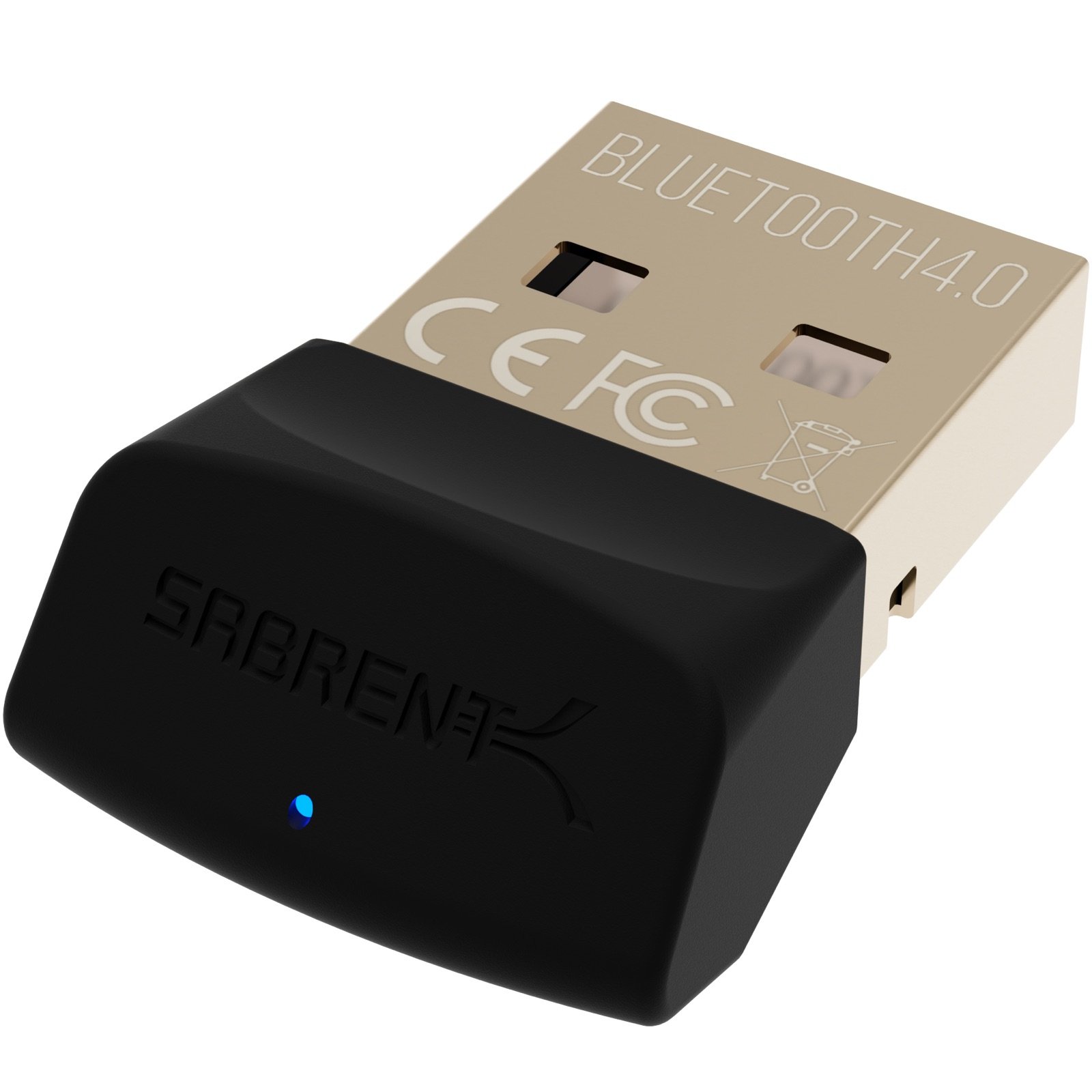
The SABRENT is a more compactly described option for buyers whose devices need Bluetooth 4.0 or earlier and who prefer a micro adapter.
- The SABRENT BT-UB40 is a micro USB Bluetooth 4.0 Class 2 adapter with Low Energy support and compatibility with Bluetooth 3.0, 2.1, 2.0, and 1.1.
- The TP-Link UB500 Plus supports Bluetooth 5.3, includes an adjustable antenna, and is described as compatible with several earlier Bluetooth versions.
Is TP-Link UB500 Plus Worth It?
The TP-Link UB500 Plus is worth considering as a PC Bluetooth upgrade if you want Bluetooth 5.3, compatibility with older Bluetooth versions, and an antenna you can reposition.
Its EDR and Low Energy support add useful breadth for a range of accessories.
Check the setup conditions before buying: the described plug-and-play experience requires internet access on Windows 8.1, 10, and 11, while Windows 7 needs a driver.
The range and speed comparisons are stated as up to improvements over Bluetooth 4.0, so use your room, PC placement, and paired devices to set expectations.
Your review at a glance
1,000+ ratings
Read Amazon ReviewsTP-Link UB500 Plus
A USB Bluetooth upgrade for Windows PC owners who want a newer standard, an adjustable antenna, and support for older Bluetooth devices.
- Bluetooth 5.3 with EDR, plus backward compatibility with Bluetooth 4.2, 4.0, 3.0, 2.1, 2.0, and 1.1.
- Designed to add Bluetooth capability to a non-Bluetooth desktop or laptop PC.
- Adjustable multidirectional antenna that can be rotated to change its position.
- Supports Bluetooth Low Energy as well as enhanced data rate technology.