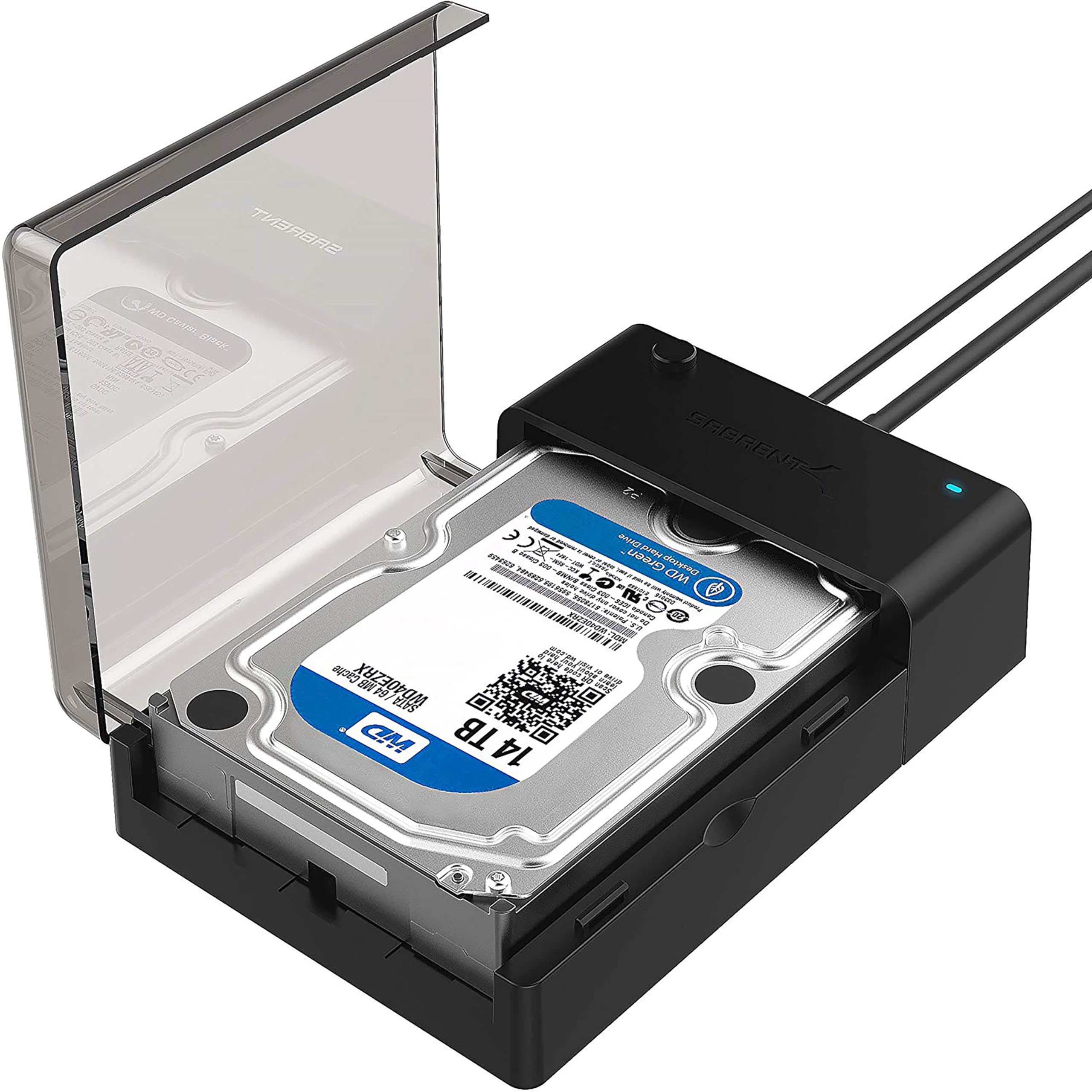
The SABRENT EC-DFLT is a simple way to connect a loose SATA drive to a computer for file access, transfers, or troubleshooting.
This sabrent hard drive docking station review focuses on its broad SATA drive support, USB 3.0 connection, and the practical power and compatibility checks to make before buying.
SABRENT EC-DFLT Review Summary
The quick verdict
37,000+ ratings
Read Amazon ReviewsSABRENT EC-DFLT SATA Docking Station
A straightforward dock for accessing compatible 2.5- and 3.5-inch SATA drives through USB 3.0, with external power for desktop drives.
- Accepts 2.5- and 3.5-inch SATA hard drives and SSDs using SATA I, SATA II, or SATA III.
- Connects to a computer using an included USB Type-A cable and USB 3.0; a direct USB 3.0 port is recommended for stable operation.
- Supports UASP for potentially faster transfers when the host system is UASP-capable.
- Typical HDD transfer speeds are listed as 100–160 MB/s; SSD speeds vary.

Pros
- Handles both common 2.5- and 3.5-inch SATA drive sizes, including HDDs and SSDs.
- Includes the USB cable and external adapter needed for a basic setup.
Consider before buying
- It is restricted to SATA drives; IDE/PATA, M.2 NVMe, M.2 SATA, SAS, and USB-connected drives are incompatible.
- A 3.5-inch drive needs the included adapter and a wall outlet, so the setup is not powered solely by USB.
Read the full review summary
This lay-flat dock supports 2.5- and 3.5-inch SATA hard drives and SSDs across SATA I, II, and III.
It connects to a computer through an included USB Type-A cable, works without driver installation on Windows 10/11, macOS, and Linux, and supports hot swapping with an LED activity indicator.
UASP support can help transfers on a compatible host, while the product description gives typical HDD transfer speeds of 100–160 MB/s and notes that SSD speeds vary.
Its appeal is a focused, uncomplicated workflow: insert a compatible drive, connect the dock directly to a USB 3.0 port, and access the drive from a computer.
The included 12V adapter is required for 3.5-inch drives and is recommended for stable operation with 2.5-inch drives.
It is best suited to people who already have individual SATA drives to access; the drive itself is not included, and the dock does not support several other drive interfaces.
The buying factors
SABRENT EC-DFLT Scorecard
Editorial scores reflect listed features and buyer fit; they are not laboratory measurements or customer ratings.
SATA drive coverage
Supports 2.5- and 3.5-inch SATA HDDs and SSDs across SATA I/II/III, covering common bare drives.
Setup simplicity
Plug-and-play operation and no driver requirement make basic computer access straightforward.
Host connectivity
USB 3.0 Type-A and UASP support provide a useful wired connection, with UASP dependent on the host.
Power flexibility
The included adapter supports desktop drives, while 2.5-inch drives are generally bus-powered and the adapter is recommended for stability.
Drive-format versatility
The design is limited to SATA drives and does not handle IDE/PATA, M.2, SAS, or USB-connected drives.
Drive diagnostics
S.M.A.R.T. diagnostics are not supported through the USB bridge, a limitation for health-check workflows.
Key Features and Specifications of SABRENT EC-DFLT
- Accepts 2.5- and 3.5-inch SATA hard drives and SSDs using SATA I, SATA II, or SATA III.
- Connects to a computer using an included USB Type-A cable and USB 3.0; a direct USB 3.0 port is recommended for stable operation.
- Supports UASP for potentially faster transfers when the host system is UASP-capable.
- Typical HDD transfer speeds are listed as 100–160 MB/s; SSD speeds vary.
- Includes a 12V power adapter, required for 3.5-inch drives and recommended for 2.5-inch drives.
- Plug-and-play support for Windows 10/11, macOS, and Linux, with hot swapping and an LED activity indicator.
- Drive is sold separately; S.M.A.R.T. diagnostics are not supported through the USB bridge.
Pros and Cons of SABRENT EC-DFLT
Pros
- Handles both common 2.5- and 3.5-inch SATA drive sizes, including HDDs and SSDs.
- Includes the USB cable and external adapter needed for a basic setup.
- No driver installation is required on the listed operating systems.
- UASP support and USB 3.0 suit routine file access and transfers on a compatible computer.
Consider before buying
- It is restricted to SATA drives; IDE/PATA, M.2 NVMe, M.2 SATA, SAS, and USB-connected drives are incompatible.
- A 3.5-inch drive needs the included adapter and a wall outlet, so the setup is not powered solely by USB.
- S.M.A.R.T. diagnostics are unavailable through the USB bridge.
- The host uses USB Type-A, so buyers with only other port types should check their computer or adapter setup first.
Who Should Buy SABRENT EC-DFLT?
Good fit
Choose the EC-DFLT if you want a direct way to browse, copy, or recover files from a loose 2.5- or 3.5-inch SATA drive.
It covers SATA I/II/III HDDs and SSDs, and its plug-and-play design keeps the connection process uncomplicated across Windows 10/11, macOS, and Linux.
It also makes sense for occasional drive access at a desk, where a wall outlet is available for the 3.5-inch drive adapter.
For a 2.5-inch drive, the adapter is recommended for stability even though such drives are generally bus-powered. Use a direct USB 3.0 port, especially if a hub or older USB port has caused connection problems with other devices.
Before ordering, confirm that the drive is SATA and that the computer can accept the included USB Type-A cable.
If you plan to use UASP, check host support; the feature depends on the computer as well as the dock.
Who should skip it
Skip this model if your drive is IDE/PATA, M.2 NVMe, M.2 SATA, SAS, or already USB-connected. Check the drive label or documentation before choosing a dock, since connector appearance alone may not identify its interface.
Look elsewhere if your workflow requires S.M.A.R.T. health diagnostics through the connection, or if you need a portable setup that can power 3.5-inch drives without access to an outlet.
What the SABRENT EC-DFLT Means for Everyday Drive Access
A useful bridge for loose SATA drives
The dock is designed around direct access to a bare SATA drive rather than permanent enclosure storage.
That can be handy when moving files between a computer and a drive removed from another system, or when keeping a drive available for occasional checks.
Because the drive is not included, buyers should treat this as a connection accessory and account for having a compatible drive already.
Power needs change by drive size
A 3.5-inch HDD requires the 12V adapter, which means a wall outlet is part of the setup. A 2.5-inch drive is generally bus-powered, but the adapter is still recommended for stability.
This distinction matters when choosing a workspace: the dock is convenient on a desk, while use away from outlets is more constrained with a desktop drive.
USB performance depends on the whole connection
USB 3.0 provides the host connection, and UASP can improve transfer handling when both the dock and host support it.
The listed typical HDD range is 100–160 MB/s, while SSD speeds vary; actual results depend on the drive, computer, connection, and workload. Connecting directly to a USB 3.0 port follows the product's guidance for stable operation.
Know the limits before plugging in
This dock works with SATA I/II/III drives, not every drive that may be called an internal or external disk. M.2 NVMe and SATA modules, IDE/PATA, SAS, and USB-connected drives are outside its compatibility.
S.M.A.R.T. diagnostics also do not pass through the USB bridge, so a buyer who needs drive-health readings should check that requirement before choosing this connection method.
Alternatives to SABRENT EC-DFLT
Hard Drive Docking Stations alternative
17,000+ ratings
Read Amazon ReviewsSABRENT EC-HD2B Dual-Bay SATA Dock
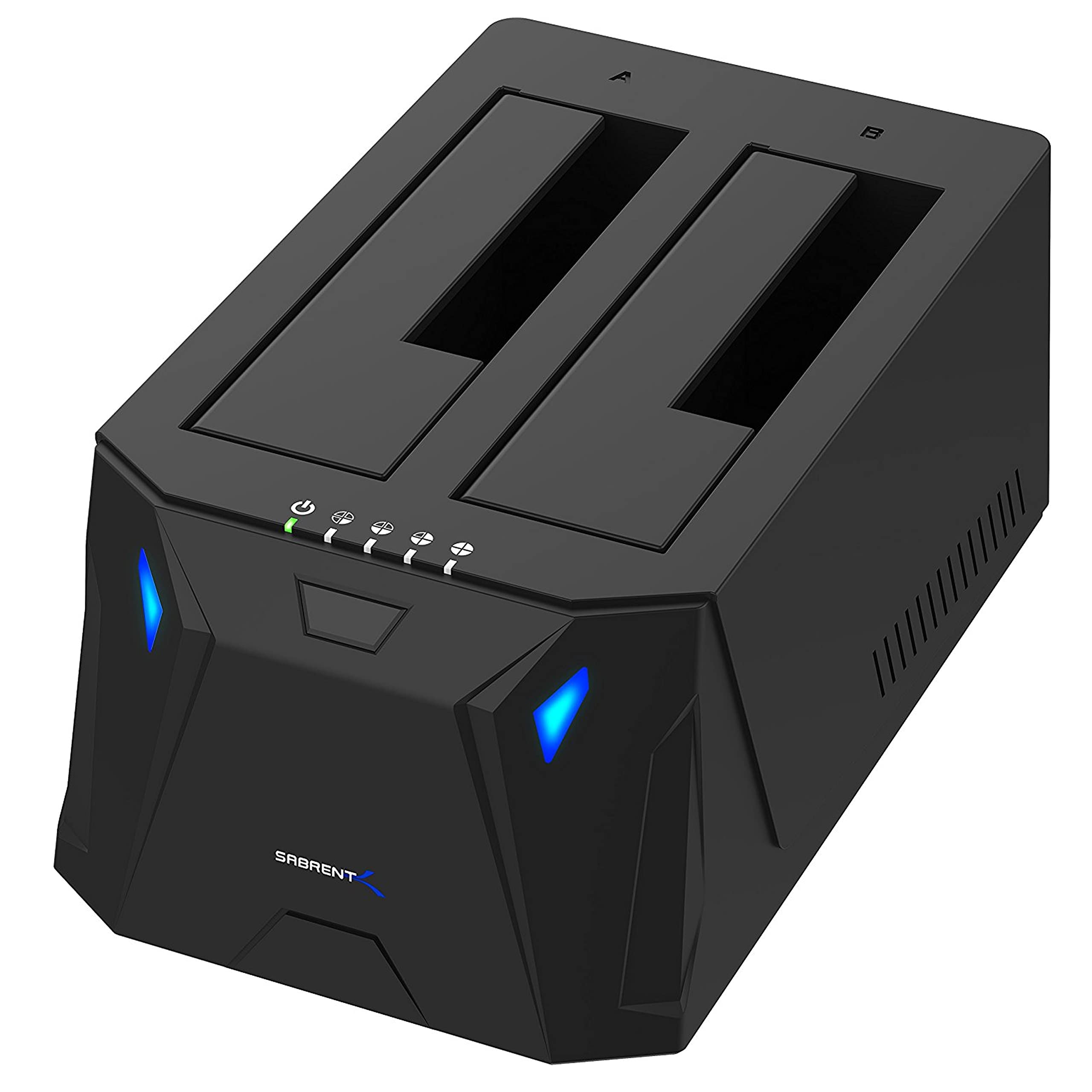
Choose the EC-HD2B if you need two drive bays or computer-free cloning. The EC-DFLT is the simpler fit when you only need to connect an individual SATA drive to a computer.
- The EC-HD2B accepts two 2.5- or 3.5-inch SATA drives and supports offline cloning, with listed USB 3.0 transfer support up to 5Gbps.
- The EC-DFLT connects one SATA drive at a time and focuses on simple computer access through USB 3.0.
Hard Drive Docking Stations alternative
1,000+ ratings
Read Amazon ReviewsSABRENT EC-CH2B USB-C Dual-Bay SATA Dock
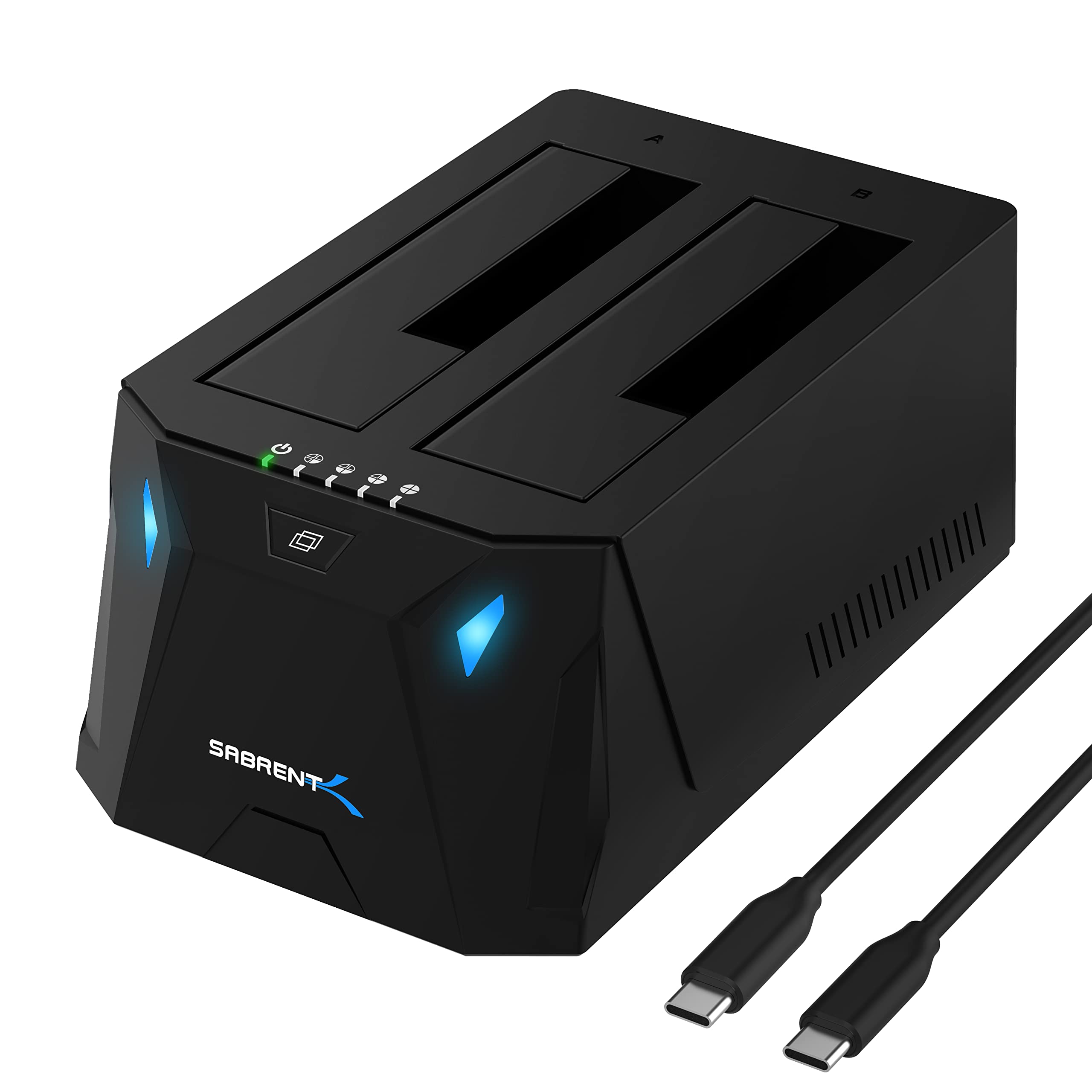
Consider the EC-CH2B if your computer setup favors USB-C or you regularly work with two SATA drives and want offline cloning. The EC-DFLT better matches a straightforward single-drive workflow using USB Type-A.
- The EC-CH2B offers two SATA bays, a USB Type-C host connection, simultaneous access to two drives, and offline cloning.
- The EC-DFLT uses a USB Type-A host cable and is intended for single-drive access.
Is SABRENT EC-DFLT Worth It?
The SABRENT EC-DFLT is worth considering if your main need is straightforward access to a compatible 2.5- or 3.5-inch SATA drive.
Its USB 3.0 connection, broad listed operating-system support, included adapter, and UASP support make it a practical desk accessory for file transfers and occasional drive access.
Confirm the drive interface and plan for the required outlet when using a 3.5-inch drive.
If you need another interface or S.M.A.R.T. diagnostics through the bridge, this model will not fit that workflow; otherwise, it offers a focused solution without unnecessary setup steps.
Your review at a glance
37,000+ ratings
Read Amazon ReviewsSABRENT EC-DFLT SATA Docking Station
A straightforward dock for accessing compatible 2.5- and 3.5-inch SATA drives through USB 3.0, with external power for desktop drives.
- Accepts 2.5- and 3.5-inch SATA hard drives and SSDs using SATA I, SATA II, or SATA III.
- Connects to a computer using an included USB Type-A cable and USB 3.0; a direct USB 3.0 port is recommended for stable operation.
- Supports UASP for potentially faster transfers when the host system is UASP-capable.
- Typical HDD transfer speeds are listed as 100–160 MB/s; SSD speeds vary.