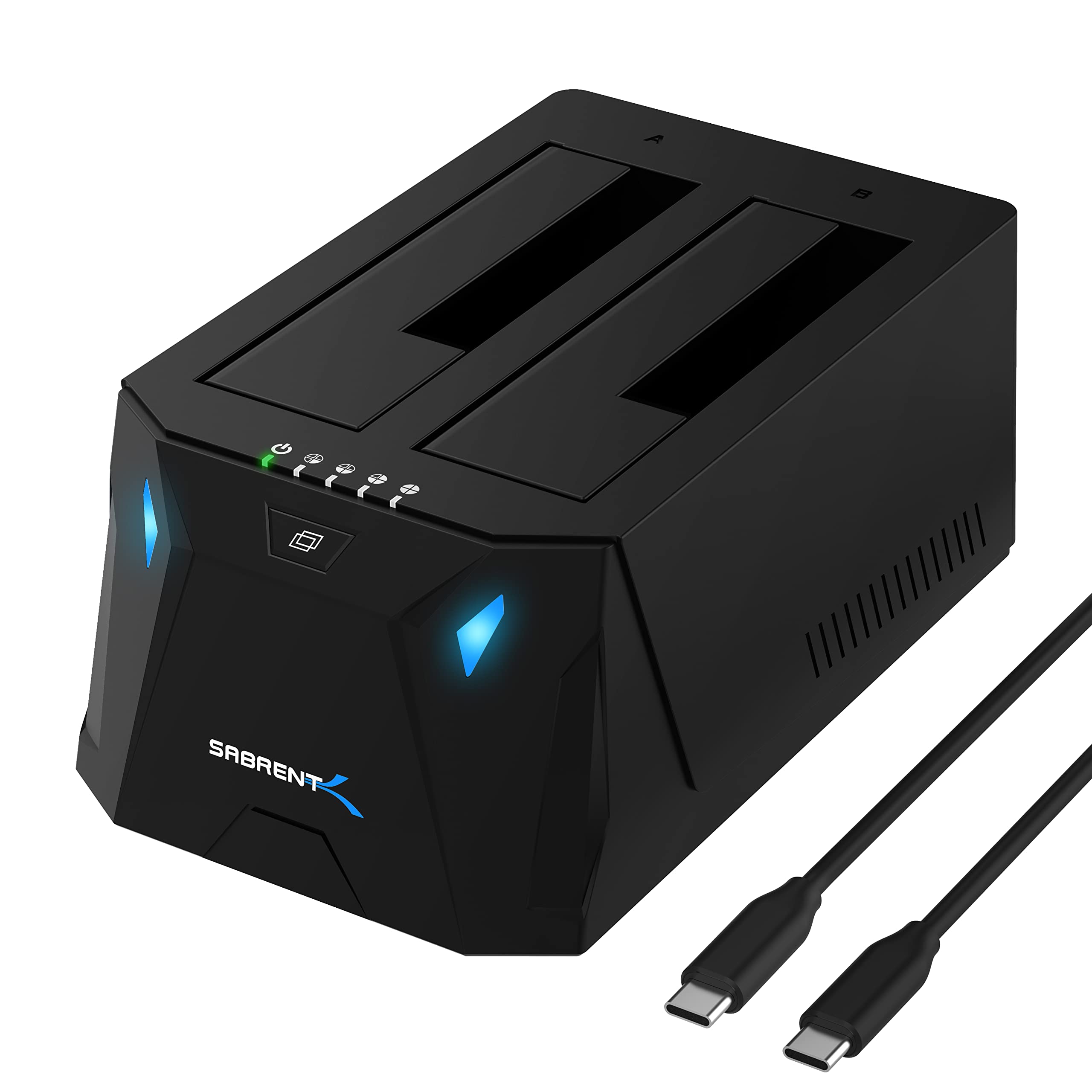
The SABRENT Dual-Bay USB-C Hard Drive Docking Station & Cloner review centers on a straightforward way to connect two SATA drives for computer access or offline cloning.
Its appeal is flexibility: the dock supports simultaneous read and write access, tool-free insertion, and drive-to-drive cloning, while the USB connection is rated for transfers up to 5Gbps.
SABRENT EC-CH2B Review Summary
The quick verdict
1,000+ ratings
Read Amazon ReviewsSABRENT EC-CH2B Dual-Bay USB-C Docking Station
A practical fit for buyers who want to access or clone two 2.5-inch or 3.5-inch SATA drives without installing them in an enclosure.
- Dual-bay design supports reading from and writing to two hard drives simultaneously.
- Compatible with 2.5-inch and 3.5-inch SATA hard drives.
- Offline cloning enables drive-to-drive copying without a computer.
- USB 3.0 transfer speeds are rated up to 5Gbps; actual speed depends on the connected drives and setup.

Pros
- Combines computer-connected drive access and offline cloning in one dock.
- Accommodates both 2.5-inch and 3.5-inch SATA drives in either bay.
Consider before buying
- The listed 60MBps maximum for offline cloning may make a large drive copy a lengthy task.
- The 5Gbps figure describes the USB connection's maximum; it does not guarantee that speed with every drive.
Read the full review summary
The EC-CH2B suits people who regularly work with loose 2.5-inch or 3.5-inch SATA hard drives and want one desktop accessory for file access and direct cloning.
It supports two drives at once, works with Windows and Mac OS, and is hot-swappable, making it useful for moving among drives without fitting each one into a separate enclosure.
The key tradeoff is that its headline transfer figure is a maximum interface rate, not a promise of real-world drive speed.
Offline cloning is also listed at up to 60MBps, so buyers planning large migrations should consider that rate and the time their particular drives may require.
Check that the drives are SATA, and plan a clear source-to-target workflow before cloning.
The buying factors
SABRENT EC-CH2B Scorecard
Editorial scores reflect listed features and buyer fit; they are not laboratory measurements or customer ratings.
Two-drive workflow
Both drives can be read from and written to simultaneously, with offline cloning also supported.
Drive format coverage
Supports 2.5-inch and 3.5-inch SATA HDDs, giving it useful range across common desktop and laptop drive sizes.
Setup convenience
Tool-free installation and plug-and-play operation are suited to occasional drive access and swapping.
Connection flexibility
USB 3.0 is rated up to 5Gbps, and the dock is described as USB-C.
Offline cloning
Direct cloning avoids the need to run the process through a computer, with a listed maximum of 60MBps.
Drive capacity headroom
The product supports drives up to 20TB and above, according to its feature description.
Operating system range
Windows and Mac OS compatibility is specified, covering two common desktop environments.
Key Features and Specifications of SABRENT EC-CH2B
- Dual-bay design supports reading from and writing to two hard drives simultaneously.
- Compatible with 2.5-inch and 3.5-inch SATA hard drives.
- Offline cloning enables drive-to-drive copying without a computer.
- USB 3.0 transfer speeds are rated up to 5Gbps; actual speed depends on the connected drives and setup.
- Supports drives up to 20TB and above.
- Tool-free installation, plug-and-play use, hot swapping, and an HDD access LED indicator are specified.
- Compatible with Windows and Mac OS.
Pros and Cons of SABRENT EC-CH2B
Pros
- Combines computer-connected drive access and offline cloning in one dock.
- Accommodates both 2.5-inch and 3.5-inch SATA drives in either bay.
- Simultaneous access to two drives can simplify copying or comparing files.
- Tool-free setup and hot swapping suit users who rotate through bare drives.
Consider before buying
- The listed 60MBps maximum for offline cloning may make a large drive copy a lengthy task.
- The 5Gbps figure describes the USB connection's maximum; it does not guarantee that speed with every drive.
- The stated compatibility is for SATA drives, so confirm the interface of any drive you plan to use.
Who Should Buy SABRENT EC-CH2B?
Good fit
Consider the EC-CH2B if you often connect loose SATA drives to a Windows or Mac computer and want a reusable dock rather than a dedicated enclosure for each disk.
Its two bays let you access both drives at once, and tool-free insertion makes it practical for backup work, file retrieval, or moving between drives.
It is also worth considering if you want offline cloning as an option. The dock can copy one drive directly to another without a computer, which can simplify a one-off migration.
For large capacities, factor in the listed cloning rate of up to 60MBps and allow time for the job to finish.
Before buying, identify the source and destination drives and verify they are 2.5-inch or 3.5-inch SATA models.
The stated capacity support reaches 20TB and above, but choose based on the drives you actually use and the time available for transfers.
Who should skip it
Skip this model if your drives are not 2.5-inch or 3.5-inch SATA, or if your routine depends on a different drive format. The described compatibility does not cover other interfaces.
Look elsewhere if your main priority is completing large offline clones as quickly as possible. The maximum cloning rate is a useful planning figure, but this design may not suit a time-sensitive migration workflow.
How the SABRENT EC-CH2B Fits a Drive Workflow
Two bays for direct comparison and copying
With two drives available at the same time, the dock can support workflows such as accessing files on one disk while writing to another. That can reduce the need to repeatedly unplug and replace a single drive.
The simultaneous read-and-write feature is distinct from offline cloning: use the computer-connected mode for general file work, and the cloning function for a direct drive-to-drive copy.
Cloning needs planning
Offline cloning is useful when you want the dock to perform a direct copy without routing the task through a computer.
The listed maximum of 60MBps means a large migration can take a substantial amount of time, so it is sensible to schedule the copy and check drive capacity and source-target roles before starting.
The description does not establish how the dock handles every drive layout or cloning scenario, so confirm that its intended workflow matches yours.
USB speed and drive speed are different
The USB 3.0 connection is rated up to 5Gbps, but that is a maximum connection rate rather than a guaranteed file-copy speed. Drive performance, the files being transferred, and the connected computer can affect the result.
Buyers choosing the dock for routine access should treat the figure as interface headroom, not a measured performance promise.
A reusable SATA dock
Support for both 2.5-inch and 3.5-inch SATA drives makes the dock adaptable across common drive sizes, while tool-free installation and hot swapping support repeated use.
The capacity description says 20TB and above, which gives it stated headroom for large drives. Confirm each drive's form factor and SATA interface before relying on the dock for a specific recovery, backup, or migration task.
Alternatives to SABRENT EC-CH2B
Hard Drive Docking Stations alternative
17,000+ ratings
Read Amazon ReviewsSABRENT DS-U3B4 4-Bay SATA Docking Station
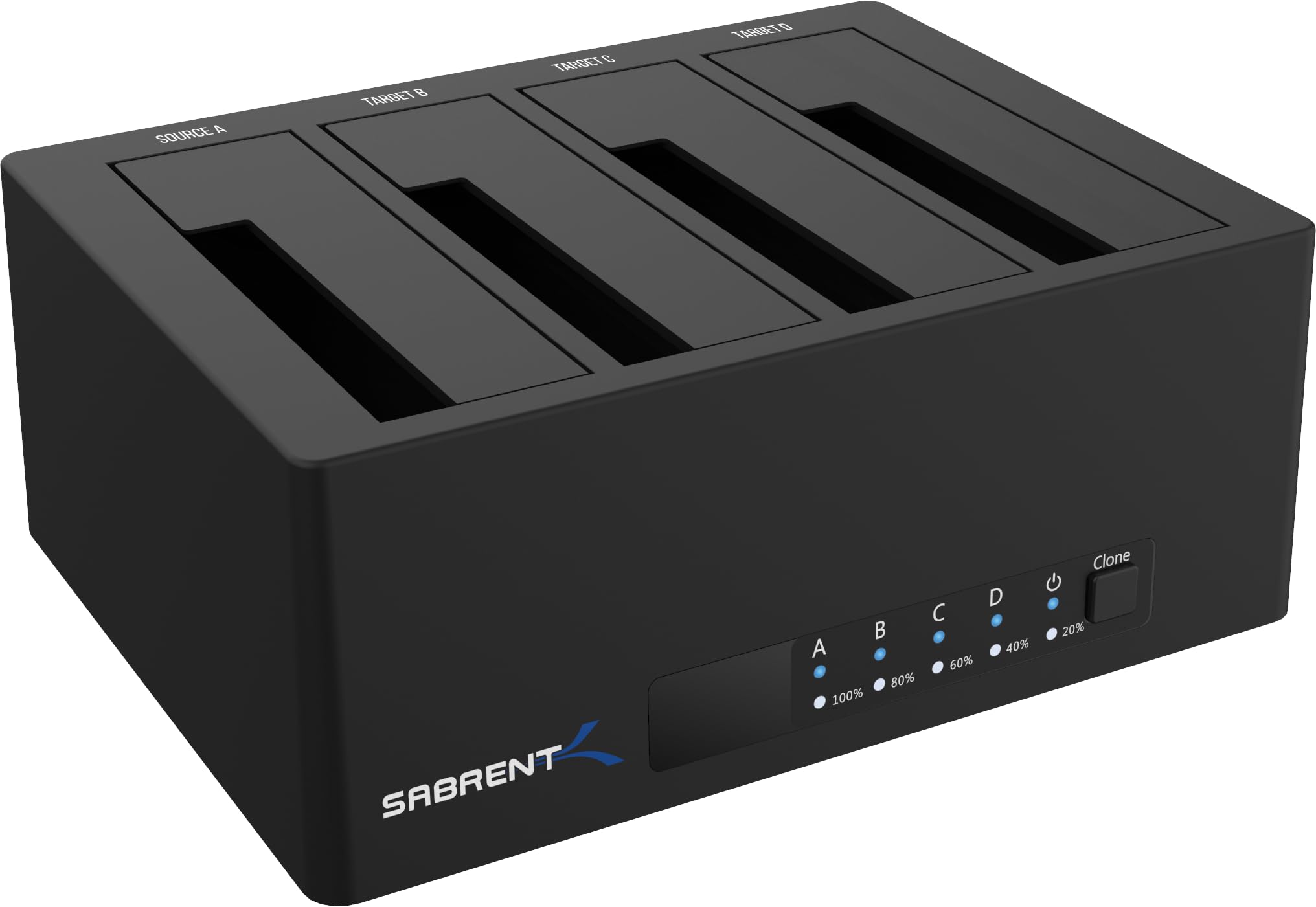
Choose the EC-CH2B if two bays and a USB-C connection suit your setup. Consider the DS-U3B4 if you need to keep as many as four SATA drives installed in one dock for multi-drive management.
- The DS-U3B4 accommodates up to four 2.5-inch or 3.5-inch SATA drives and includes offline cloning, with a USB 3.0 connection rated up to 5Gbps.
- The EC-CH2B offers two bays, USB-C, and offline cloning for 2.5-inch and 3.5-inch SATA drives.
Hard Drive Docking Stations alternative
37,000+ ratings
Read Amazon ReviewsSABRENT EC-DFLT Single-Bay SATA Docking Station
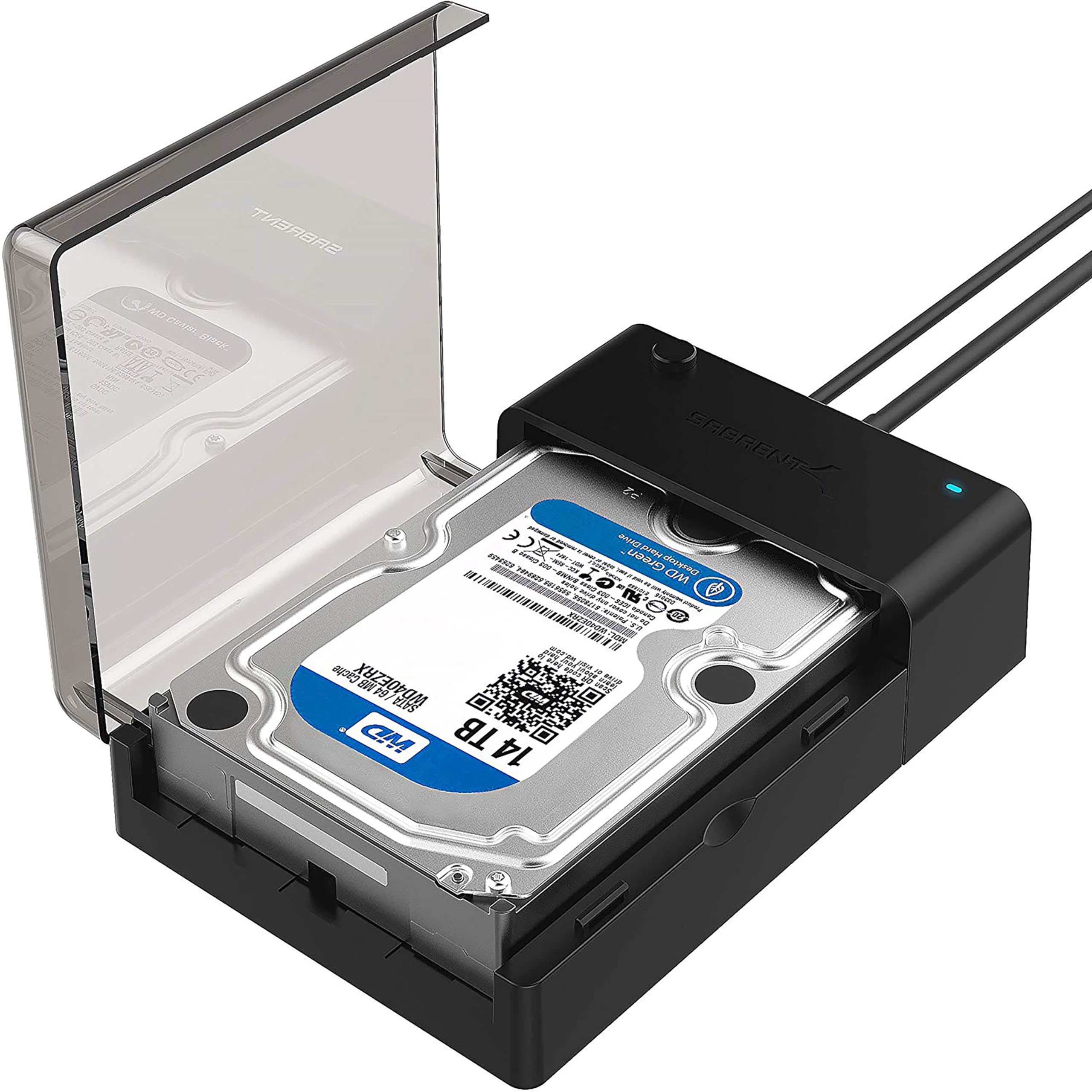
The EC-DFLT is a simpler fit if you only need to connect one drive at a time and prefer its stated UASP support with a compatible host.
The EC-CH2B better matches a two-drive workflow or a need for offline cloning.
- The EC-DFLT is a single-bay dock for 2.5-inch or 3.5-inch SATA HDDs and SSDs, connects through USB Type-A, and supports UASP when the host system does.
- The EC-CH2B has two bays and adds offline cloning for direct drive-to-drive copies.
Is SABRENT EC-CH2B Worth It?
The SABRENT EC-CH2B is worth considering for people who regularly access or clone 2.5-inch and 3.5-inch SATA drives.
Two bays, tool-free insertion, hot swapping, and offline cloning make it a versatile choice for a home or small-office drive workflow.
Buy it if the two-bay setup and stated drive compatibility match your needs, and if the listed cloning rate works for your timeline.
Treat 5Gbps as the USB interface maximum rather than an expected transfer speed, and verify your drives are SATA before choosing.
Your review at a glance
1,000+ ratings
Read Amazon ReviewsSABRENT EC-CH2B Dual-Bay USB-C Docking Station
A practical fit for buyers who want to access or clone two 2.5-inch or 3.5-inch SATA drives without installing them in an enclosure.
- Dual-bay design supports reading from and writing to two hard drives simultaneously.
- Compatible with 2.5-inch and 3.5-inch SATA hard drives.
- Offline cloning enables drive-to-drive copying without a computer.
- USB 3.0 transfer speeds are rated up to 5Gbps; actual speed depends on the connected drives and setup.