This review niimbot b21 looks at a Bluetooth thermal label maker built for everyday organization and small business tasks, from price and barcode labels to jars and mailing.
Its support for labels from 0.8 to 2 inches wide and app-based design gives it more room for varied jobs than a narrow-format labeler.
NIIMBOT B21 Review Summary
The quick verdict
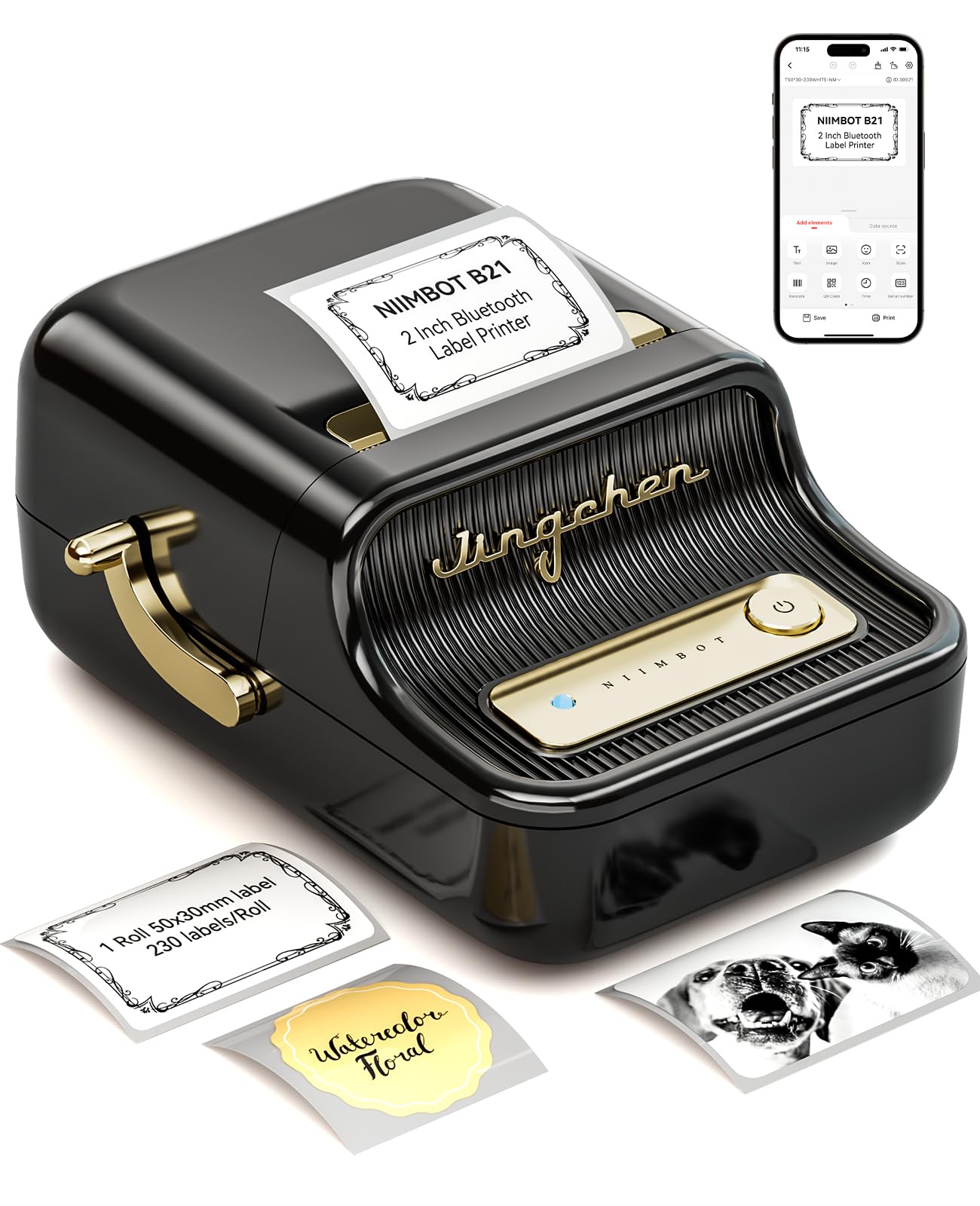
1,000+ ratings
Read Amazon ReviewsNIIMBOT B21
A practical fit for small businesses and home users who want app-designed labels up to 2 inches wide, with batch printing and no ink.
- Bluetooth connection pairs the printer with the NIIMBOT app for label creation and printing.
- Accepts label widths from 0.8 to 2 inches for a range of compact labeling tasks.
- Thermal printing requires no ink, toner, or carbon tape; labels need to be replaced when used up.
- The app offers 20+ fonts and 1,000+ image materials, plus adjustable content and layout.

Pros
- A 0.8–2-inch label-width range offers flexibility for compact business and household jobs.
- Batch printing and code tools can reduce repeated manual entry for suitable workflows.
Consider before buying
- The stated four-hour working time per charge may require planning for longer or frequent work sessions.
- Printing depends on replacing label paper as supplies run out, so buyers should factor compatible refills into their routine.
Read the full review summary
The NIIMBOT B21 pairs portable Bluetooth printing with an app that offers templates, fonts, image materials, image recognition, and Excel batch printing.
It uses thermal printing, so routine use does not call for ink, toner, or a carbon ribbon; the ongoing supply to plan for is compatible label paper.
That combination makes it worth considering for crafters, retailers, home organizers, and small businesses that create several kinds of compact labels from a phone.
Its advertised label-width range supports more than tiny name tags, while the four-hour working time per charge makes it better suited to intermittent labeling sessions than a printer chosen for long, continuous production.
The buying factors
NIIMBOT B21 Scorecard
Editorial scores reflect listed features and buyer fit; they are not laboratory measurements or customer ratings.
Label-size flexibility
The supported 0.8–2-inch width range accommodates a useful variety of compact labels, including address, price, and jar labels.
App design tools
The app includes 20+ fonts, 1,000+ image materials, templates, image recognition, and options to adjust label content and placement.
Batch workflow
Excel batch printing can help with repeated labels, such as stock, ingredients, or mailing details.
Wireless convenience
Bluetooth app connection supports designing and printing without building a desktop setup.
Supply economy
Thermal printing avoids ink, toner, and carbon tape, leaving label paper as the described consumable.
Work-session stamina
The stated four-hour working time per charge is useful for mobile tasks, though buyers with frequent long sessions should consider how often they will recharge.
Key Features and Specifications of NIIMBOT B21
- Bluetooth connection pairs the printer with the NIIMBOT app for label creation and printing.
- Accepts label widths from 0.8 to 2 inches for a range of compact labeling tasks.
- Thermal printing requires no ink, toner, or carbon tape; labels need to be replaced when used up.
- The app offers 20+ fonts and 1,000+ image materials, plus adjustable content and layout.
- Image recognition can convert text in photos into editable text.
- Excel batch printing and scanning of 1D or 2D codes support repeat and code-based labeling.
- A charge is described as supporting up to four hours of work, with automatic shutdown after 15 minutes paused.
Pros and Cons of NIIMBOT B21
Pros
- A 0.8–2-inch label-width range offers flexibility for compact business and household jobs.
- Batch printing and code tools can reduce repeated manual entry for suitable workflows.
- Inkless thermal printing simplifies the supply routine.
- The app provides templates and design elements for labels with varied content and layouts.
Consider before buying
- The stated four-hour working time per charge may require planning for longer or frequent work sessions.
- Printing depends on replacing label paper as supplies run out, so buyers should factor compatible refills into their routine.
- The workflow relies on the NIIMBOT app and Bluetooth; buyers who need a computer-first process should confirm their intended setup before choosing.
Who Should Buy NIIMBOT B21?
Good fit
Consider the NIIMBOT B21 if you make labels for several purposes and want one compact printer to handle widths up to 2 inches.
The mix of price, address, barcode, ingredient, and gift-label examples points to a device suited to a craft table, small retail operation, or organized home workspace.
It is especially appealing when the work includes repeated entries. Excel batch printing, code scanning, and photo-text recognition may cut down on retyping, while the app’s fonts and image materials give room to tailor the result.
Check that the label sizes and refill types you plan to use are available for the jobs you have in mind.
The inkless approach is another reason to shortlist it for regular labeling: there is no ink, toner, or carbon tape to replace.
Keep the stated four-hour working time in view when deciding whether its rechargeable format matches the length and frequency of your sessions.
Who should skip it
Look elsewhere if your main task is high-volume, uninterrupted label production and the four-hour working time per charge does not fit your schedule.
A desktop workflow may be a better match if you need to create and print labels primarily from a computer; confirm compatibility for your specific setup before buying.
NIIMBOT B21 Review: What Its Labeling Features Mean in Practice
A wider range of everyday label jobs
The 0.8–2-inch width range gives the B21 room to serve both small identification labels and broader compact formats.
That makes it more adaptable than a device limited to very narrow labels when you alternate between jars, merchandise, mailing details, or craft projects.
App tools matter most for repeat work
Templates and design materials are useful for occasional custom labels, but batch printing is the more practical advantage when the same information needs to appear repeatedly.
Excel support, code scanning, and photo-text recognition can shorten setup for some tasks, though the benefit depends on how closely your existing data and workflow match those tools.
Thermal printing changes the supply calculation
With no ink, toner, or carbon tape required, there are fewer consumables to manage than with a conventional ink-based printer.
Label paper remains essential, so the real convenience depends on keeping suitable refills on hand and matching their width to the job.
Portable use comes with a charging rhythm
The product is designed around Bluetooth printing and a rechargeable battery, making it convenient to move between labeling spots.
Its stated working time is up to four hours per charge, so buyers with long sessions should consider whether charging between batches fits their routine.
Alternatives to NIIMBOT B21
Desktop Label Printers alternative
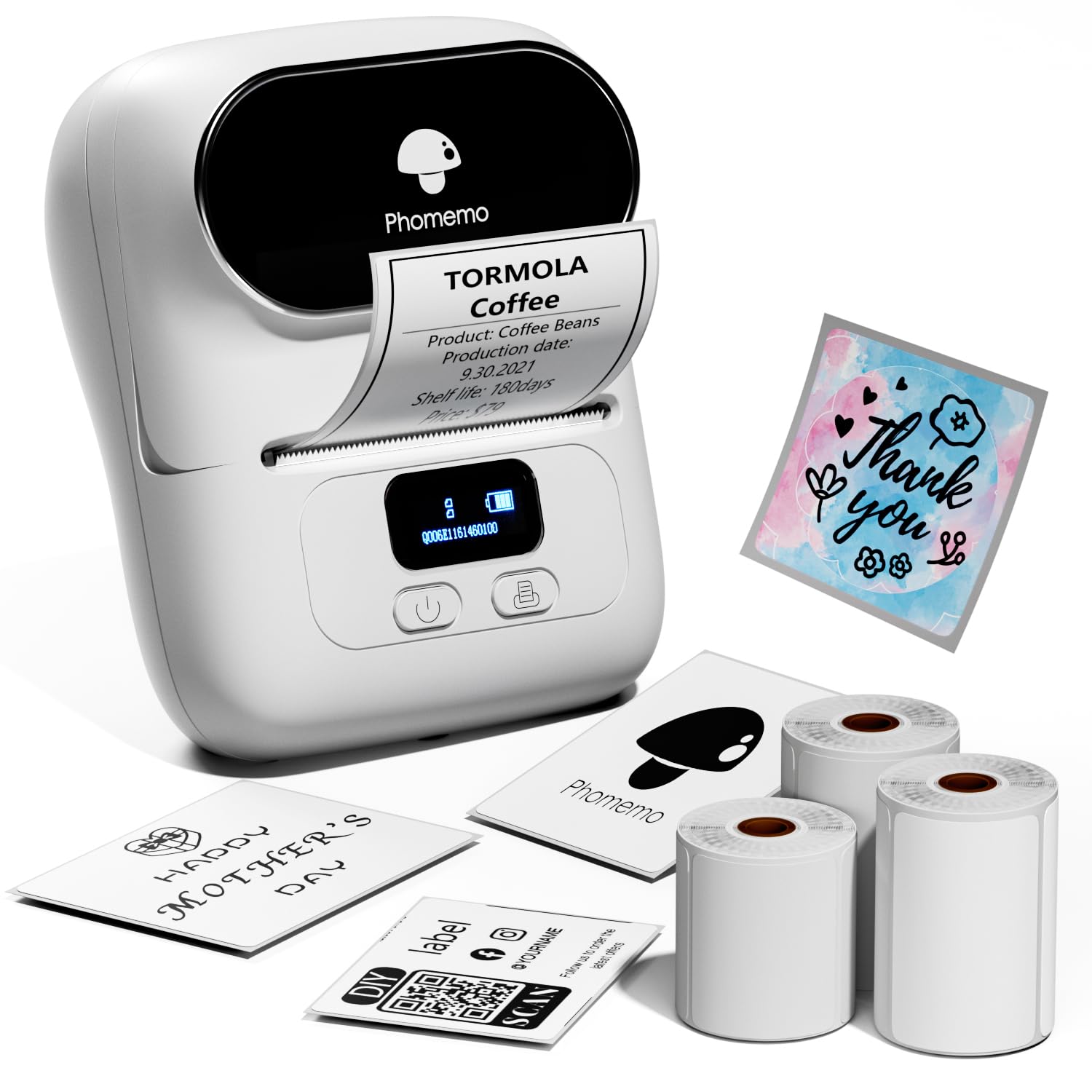
6,000+ ratings
Read Amazon ReviewsPhomemo M110
Compare the two if you need a compact thermal printer for varied small-business labels.
The B21 offers a slightly wider stated range at the narrow end, while the M110’s supplied labels and explicit clear-label support may suit buyers who want to start with those materials.
- The Phomemo M110 supports 20–50 mm label widths, including clear labels, and lists Excel batch printing and OCR among its app tools.
- Its described package includes three label sizes and a charging cable.
- The NIIMBOT B21 supports labels from 0.8 to 2 inches wide and offers Excel batch printing, code scanning, and image recognition through its app.
Desktop Label Printers alternative
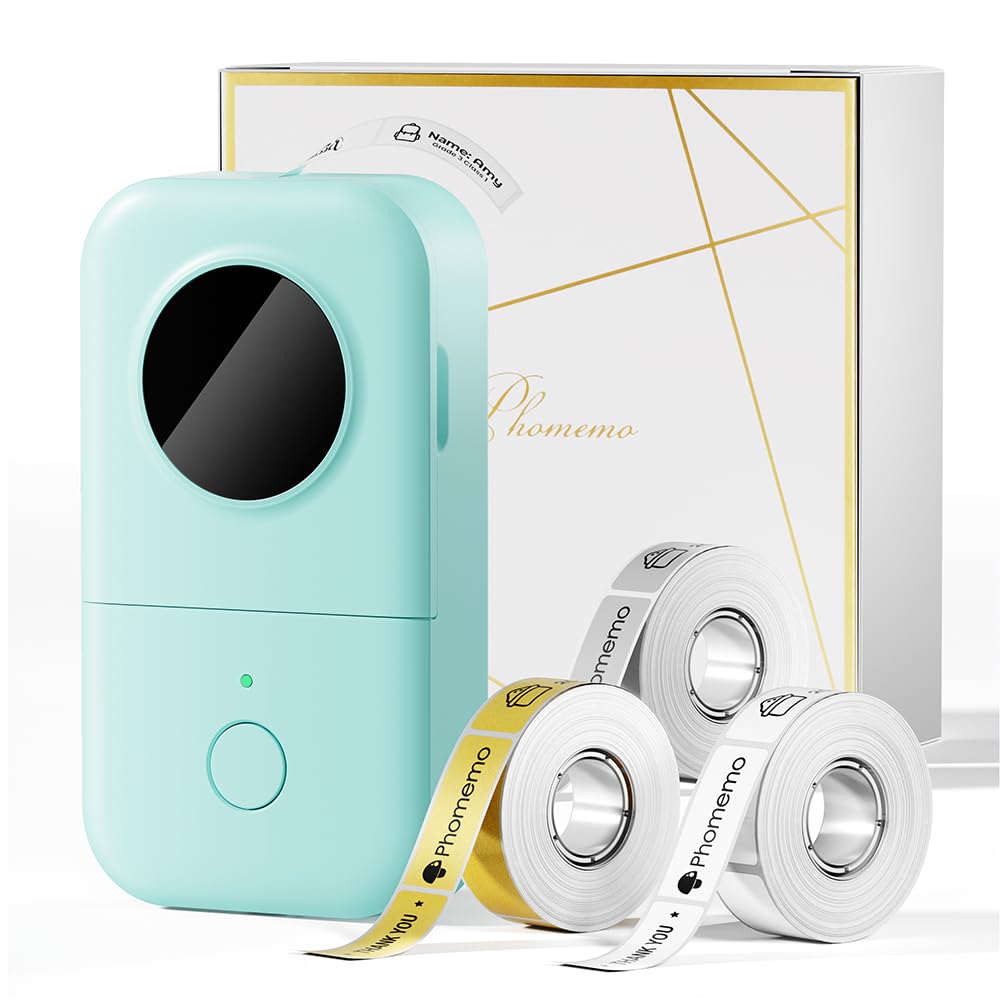
28,000+ ratings
Read Amazon ReviewsPhomemo D30
Choose between them by the kind of labels you make.
The D30’s support for both continuous and fixed-length tape offers a different format choice, while the B21’s stated 2-inch maximum width and business-oriented batch and code tools may better fit broader compact labels and repeat workflows.
- The Phomemo D30 is a pocketable Bluetooth label maker that supports continuous and fixed-length tapes. It prints monochrome output, and color effects depend on using patterned label tape.
- The NIIMBOT B21 accepts labels up to 2 inches wide and includes tools for batch printing and code-related tasks.
Is NIIMBOT B21 Worth It?
The NIIMBOT B21 is worth considering for buyers who want a Bluetooth thermal label maker that can cover several compact label jobs, with app design tools and batch-printing options.
Its 0.8–2-inch width range is a useful point of flexibility for home organization, crafts, and small-business labeling.
Before choosing it, weigh the four-hour working time per charge against your session length, confirm that the app-centered workflow fits your setup, and plan for label-paper refills.
If those tradeoffs suit your routine, the B21 presents a versatile inkless option for recurring everyday labels.
Your review at a glance
1,000+ ratings
Read Amazon ReviewsNIIMBOT B21
A practical fit for small businesses and home users who want app-designed labels up to 2 inches wide, with batch printing and no ink.
- Bluetooth connection pairs the printer with the NIIMBOT app for label creation and printing.
- Accepts label widths from 0.8 to 2 inches for a range of compact labeling tasks.
- Thermal printing requires no ink, toner, or carbon tape; labels need to be replaced when used up.
- The app offers 20+ fonts and 1,000+ image materials, plus adjustable content and layout.