Creating content often means balancing recording gear, editing tools, and the everyday details that keep a workspace running smoothly.
These 11 ideas span audio, photo printing, desk setup, connectivity, and portable power, with options for different creative routines.
11 Gift Ideas for Content Creators
MAONO Wave T5 Mini Wireless Lavalier Microphone

- Records at 48kHz/24-bit for detailed audio capture.
- Choose among four one-tap voice filters for different recording styles.
- The charging case provides 40 hours of total use.
Best Gift For: A creator who records interviews, vlogs, or voiceovers away from a desk.

FIFINE T669 USB Studio Microphone Kit

- Connects to a PC or laptop through USB plug-and-play.
- Includes a boom arm stand and 8.2ft USB cable.
- The cardioid capsule captures sound from the front and helps avoid ambient noise.
Best Gift For: A podcaster or voiceover creator recording at home.
HP Sprocket Select 2.3x3.4 Instant Photo Printer

- Prints photos from iOS and Android devices.
- Uses glossy sticky-back photo paper with colors embedded inside.
- The HP app offers editing tools for personalizing photos.
Best Gift For: A creator who likes turning smartphone images into shareable prints.
TP-Link BE6500 Dual-Band WiFi 7 Router (BE400)
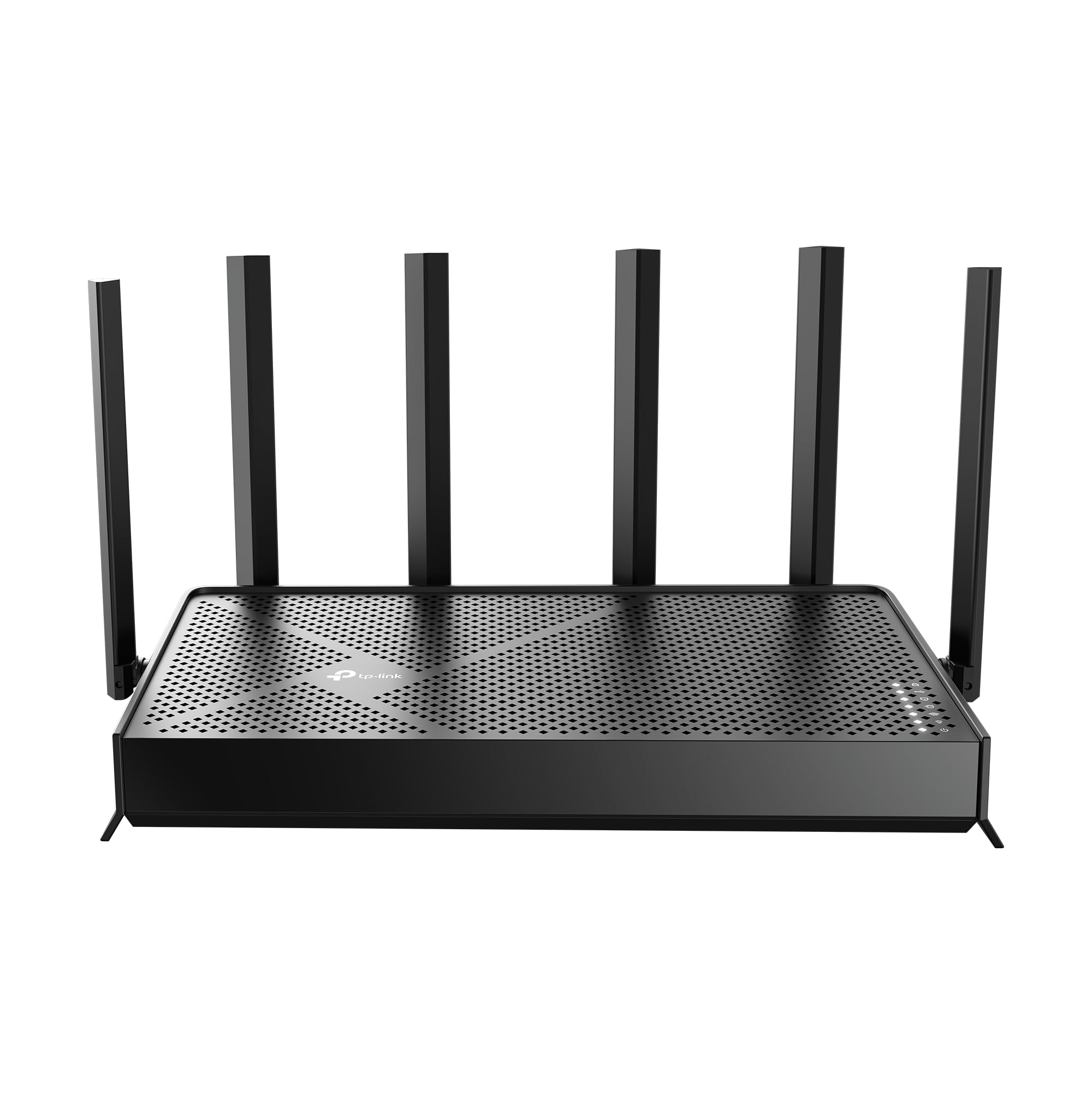
- Provides WiFi 7 with Multi-Link Operation technology.
- Includes a 2.5 Gbps WAN/LAN port and a 2.5 Gbps LAN port.
- Network settings can be managed through the Tether app or web interface.
Best Gift For: A creator equipping a home studio where multiple devices connect to the network.
HUANUO FlowLift Dual Monitor Desk Mount

- Fits computer screens from 13–32″ that meet the mount's other compatibility requirements.
- Supports VESA 75x75 or 100x100 mounting patterns.
- Built-in cable management guides cords along the arms.
Best Gift For: A creator who uses two monitors and wants more room on the desktop.
Nulaxy Pull-Out Height Adjustable Laptop Stand

- Adjusts laptop screen height from 1.2" to 20".
- Fits laptop sizes from 10 to 17 inches.
- Folds for compact storage and portable use.
Best Gift For: A creator who switches between sitting and standing while working at a desk.
SteelSeries Aerox 3 Wireless Gaming Mouse

- The holey shell weighs 68g.
- Connects with 2.4GHz wireless or Bluetooth 5.0.
- The interior is rated IP54 for protection from water splashes, dust, and dirt.
Best Gift For: A gaming creator who wants a wireless mouse for gameplay and editing.
SteelSeries Apex Pro TKL HyperMagnetic Gaming Keyboard

- Offers 40 levels of per-key actuation from 0.1–4.0mm.
- Two actions can be programmed to the same key.
- The keyboard has a detachable USB-C connection.
Best Gift For: A creator who games, streams, or prefers adjustable key response at the desk.
Audioengine A2+ Wireless Computer Speakers

- Streams wirelessly over Bluetooth 5.3 aptX-HD.
- Connects to a computer through USB-C.
- Real wood cabinets are hand-finished.
Best Gift For: A creator who listens to music, podcasts, or calls at a desk.
MagSafe Portable Charger, 5000mAh

- The magnetic charger is designed for MagSafe-compatible devices and cases.
- Its 5000mAh battery can provide up to one full charge for an iPhone 16.
- USB-C output supports wired charging for iPad, AirPods, and Apple Watch.
Best Gift For: A creator who takes photos or records on a compatible iPhone while away from an outlet.
SABRENT USB-C 6-Port Hub & M.2 SSD Dock

- Includes an HDMI 2.0 port for an external display up to 4K@60Hz on compliant devices.
- The internal M.2 slot supports SATA or NVMe SSDs.
- Provides up to 90W bypass charging power delivery.
Best Gift For: A laptop-using creator who needs connections for a display, peripherals, and portable storage.
Choosing gifts for content creators by workflow
When choosing gifts for content creators, start with the work they do most often. Someone who records spoken videos may appreciate an audio upgrade, while a creator who edits photos or shares finished images may value printing or a more capable desk setup.
Think about what they already use and where their routine feels cramped.
For someone who records on location, portability and simple setup can matter more than a large collection of features. A desk-based podcaster may instead benefit from a microphone kit that stays in place.
If you are unsure, ask which part of recording or editing currently causes the most friction.
Consider the whole setup before choosing a connection-focused gift. Check the recipient's computer, phone, monitor, and other equipment for compatibility, especially when a product depends on a particular port, mounting pattern, or wireless standard.
A practical match to existing gear is more useful than a feature they cannot use.
Balance budget with everyday usefulness
Set a comfortable spending range, then decide which item would be used regularly. A small accessory can be a thoughtful gift when it solves a recurring annoyance, while larger workspace upgrades make more sense when you know the recipient wants that particular change.
Check actual prices before buying, since they can change.
For a shared or group gift, agree on the budget first and pick a specific need together. A creator who has mentioned audio quality, desk clutter, or limited connections has already given useful clues.
For a solo gift, choose an item that complements the current setup rather than assuming they want to replace it.
Gifts for content creators can also be chosen by how broadly useful they are within the recipient's routine. Everyday desk accessories may serve a wide range of projects, while specialized recording gear suits someone with a clear use for it.
Let the person’s work habits guide the spend, not the apparent complexity of the gear.
Personalize the gift and presentation
For gifts for content creators, a short personal note can connect the item to a real project: a new podcast, a regular video series, or a home workspace they are improving. This makes a practical tool feel considered without implying that their existing setup needs fixing.
You can pair a main gift with a modest personal touch, such as a handwritten card or a small item in their preferred colors. If the recipient shares printed photos, leave room for them to choose which images to display.
For equipment, keep packaging and accessories together so setup is straightforward.
If you are giving a larger workspace item, offer to help make room or organize the desk after they decide where it belongs. Let them choose placement and configuration, particularly for equipment that connects to other devices.
A little flexibility respects the way each creator has built their workflow.
Plan for compatibility and delivery timing
Before ordering, check current product details against the recipient's devices and workspace. Confirm connection types, dimensions, mounting needs, and any required accessories.
If you are considering a gift for recording or editing, make sure it fits the software and hardware they already rely on.
When timing matters, review the current delivery estimate for the recipient's address and leave room for delays. For a last-minute occasion, a digital card with a specific, thoughtful note can bridge the gap while you confirm which model or accessory will fit.
Avoid promising an arrival date until the order details confirm it.
If you cannot verify compatibility in time, choose a flexible gift card or ask a trusted person who knows the setup. Keep the receipt and return information accessible in case the recipient needs a different fit.
Thoughtful buying advice is simple: favor a useful choice they can enjoy over a rushed guess.
Make the final choice with their routine in mind
Notice how the creator works: at a fixed desk, in different rooms, or while traveling. Their routine can point toward a comfortable workspace, easier connections, or portable tools.
A gift linked to a real habit is likely to feel more personal than a generic gadget chosen for its appearance.
Consider whether the recipient enjoys configuring equipment or prefers something that works with minimal adjustment. If they like building a custom setup, an adaptable accessory may be welcome; if they value simplicity, prioritize clear compatibility and an uncomplicated role in their day.
Finish by keeping the gift easy to receive and use. Include a note explaining why you chose it, and avoid setting expectations about what they should create with it.
The best gesture supports their interests while leaving the creative direction entirely in their hands.