The best keyboards for work range from quiet, full-layout office models to compact mechanical boards with multi-device wireless connections. Choose by the keys and controls you use daily, then weigh desk space, noise, and whether you want easy switch customization.
Quick Top Products
JLab Epic Wireless Keyboard

- All 108 full-size keys have backlighting for dim workspaces.
- A metal base and soft-touch keys combine desk stability with a quiet typing feel.
- Bluetooth 5.2 pairs with up to three devices, with a USB wireless dongle option.
Best For: People who want a full-size wireless board with backlighting and multi-device switching.

SteelSeries Apex 3

- Whisper-quiet switches are rated for 20 million low-friction keypresses.
- The magnetic wrist rest provides full palm support.
- IP32 water resistance helps prevent damage from accidental spills.
Best For: Desk workers who prefer quiet typing, media controls and a wrist rest on a wired board.
SteelSeries Apex 3 TKL

- The tenkeyless form factor is designed to save desk space.
- Whisper-quiet switches include anti-ghosting technology.
- A clickable volume roller and media keys provide direct controls.
Best For: Workers seeking a quieter tenkeyless keyboard with direct media controls and a smaller footprint.
SteelSeries Apex 5
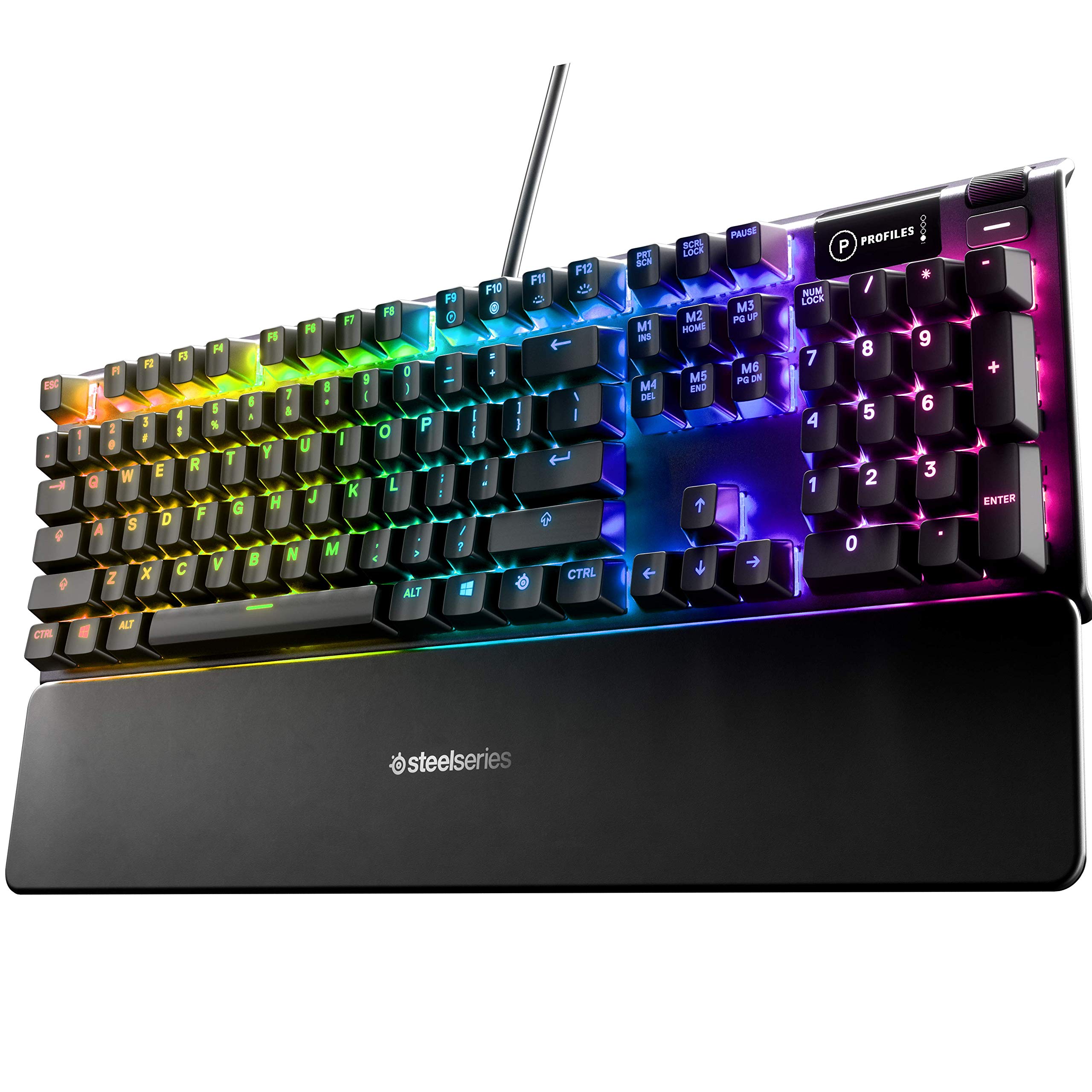
- Hybrid blue switches provide tactile, clicky feedback.
- The OLED display can show game information and messages.
- A magnetic wrist rest provides full palm support.
Best For: Workers who enjoy tactile, audible key feedback and want a display and magnetic wrist rest.
SteelSeries Apex 7 TKL
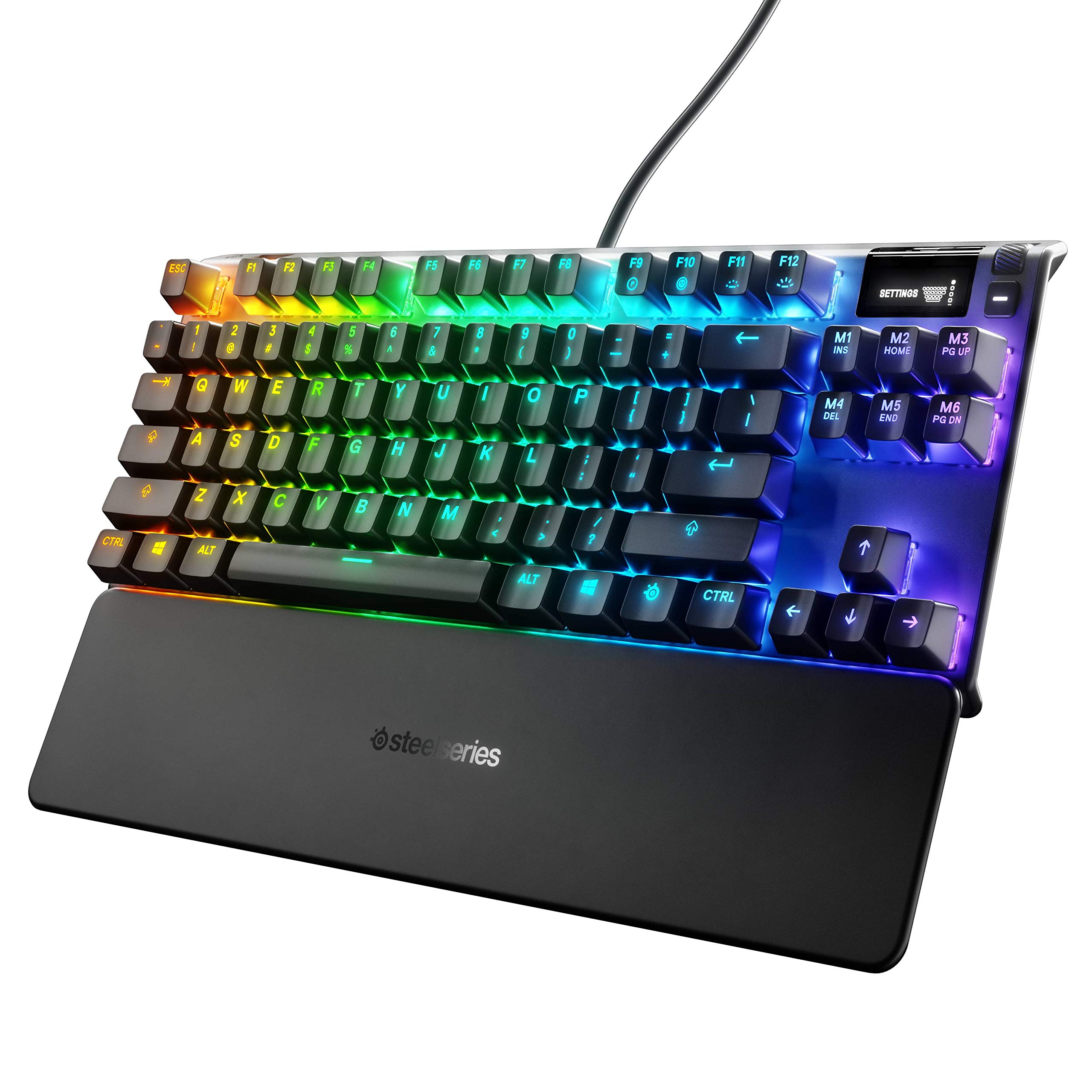
- The title identifies a tenkeyless mechanical layout with linear, quiet red switches.
- The OLED display provides access to settings and on-the-fly information.
- A magnetic wrist rest offers palm support.
Best For: Users who want a compact mechanical layout, OLED display, wrist rest and quiet linear switches.
SteelSeries Apex 7
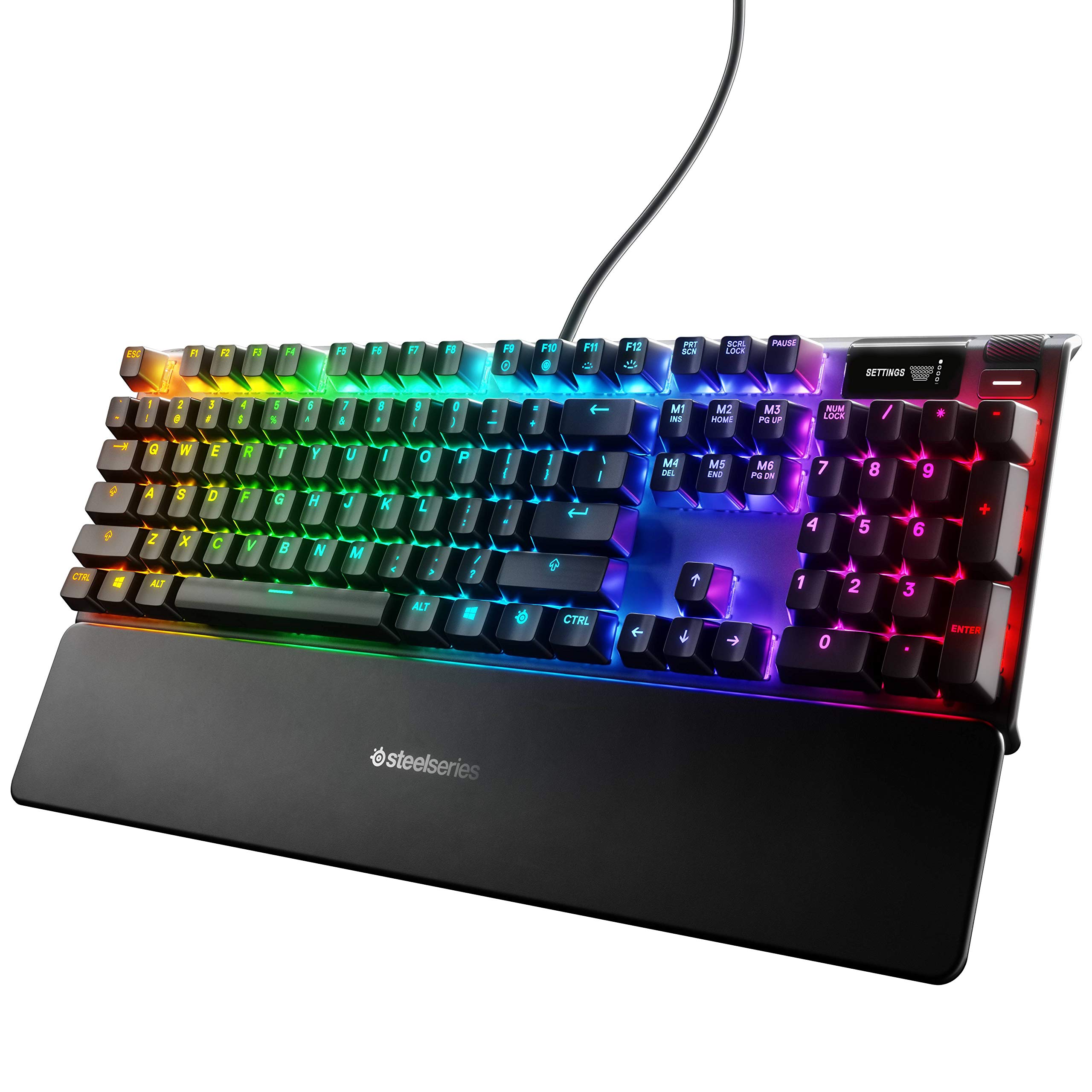
- The blue switches are tactile and clicky.
- The OLED display can provide on-the-fly information.
- A magnetic wrist rest provides full palm support.
Best For: Typists who prefer clicky mechanical feedback and want a wrist rest and OLED display.
SOLAKAKA KI99 Pro Silent Switch

- Silent switches are combined with a gasket structure and five noise-reducing layers.
- The 96% layout saves desk space while retaining the number pad.
- Bluetooth, 2.4G and Type-C provide three connection options.
Best For: Mechanical keyboard users who want a quiet switch option, a number pad and wireless flexibility.
Backlit Full-Size Work Keyboard
JLab, Epic, Wireless Keyboard, Bluetooth 5.2, USB Dongle, Multi-Device, Backlit, 108 Keys, Black
The JLab Epic offers a conventional 108-key full-size layout, backlit keys and a metal base. Soft-touch keys are intended for a comfortable, quiet feel, while the smart media knob puts audio volume within easy reach.
Bluetooth 5.2 supports up to three device pairings, and a USB wireless dongle provides another connection option. Its 2000 mAh rechargeable battery is designed for extended work sessions.
This layout suits a desk where dedicated keys and number-pad access matter more than saving space. Confirm the backlighting and available connections fit your setup before choosing it.
Best For: People who want a full-size wireless board with backlighting and multi-device switching.
| Pros | Cons |
|---|---|
|
|
This is a straightforward fit for work that benefits from a dedicated full-size layout, low-light key visibility and quick audio adjustments. The metal base and soft-touch keys differentiate it from the smaller JLab JBuds, while the latter specifies a battery runtime.
Check your desk space and how you plan to connect; the Epic's runtime and dongle inclusion are not specified. Its multi-device support is useful if you regularly move between operating systems or computers.
Quiet Wired Board With Wrist Rest
SteelSeries Apex 3 RGB Gaming Keyboard – 10-Zone RGB Illumination – IP32 Water Resistant – Premium Magnetic Wrist Rest (Whisper Quiet Gaming Switch)
The Apex 3 pairs whisper-quiet switches with a magnetic wrist rest and dedicated multimedia controls. Its 10-zone RGB illumination is configurable, and IP32 water resistance is intended to help prevent damage from accidental liquid spills.
The wired full-size format is a sensible fit for a fixed workstation where wireless pairing is unnecessary. Its quiet switch design and palm support suit long stretches of document or email work, while the multimedia controls let you adjust sound without reaching for software.
Check the available desk space and decide whether you want a number pad before buying.
Best For: Desk workers who prefer quiet typing, media controls and a wrist rest on a wired board.
| Pros | Cons |
|---|---|
|
|
Pick the Apex 3 if a quiet, fixed desk setup matters more than wireless device switching or work-specific software profiles. It adds a magnetic wrist rest, media controls and spill resistance, making it a distinct office-friendly alternative to the gaming-focused mechanical options.
Check its full-size footprint and whether a number pad suits your desk; dimensions and layout details beyond the title are not specified. Its RGB lighting is available, but can be ignored if a restrained setup is the priority.
Compact Quiet Typing
SteelSeries Apex 3 TKL RGB Gaming Keyboard – Tenkeyless Compact Form Factor - 8-Zone RGB Illumination – IP32 Water & Dust Resistant – Whisper Quiet Gaming Switch – Gaming Grade Anti-Ghosting,Black
The Apex 3 TKL uses a tenkeyless layout to leave more desk space around the keyboard, and its whisper-quiet switches are paired with anti-ghosting technology. IP32 water and dust resistance offers protection against accidental exposure, while a clickable volume roller and media keys handle common audio adjustments.
RGB lighting is included, but the practical appeal for work is the compact layout and direct controls. This board suits smaller desks and users who rarely enter numbers.
If regular spreadsheet work is part of the day, consider a model with a dedicated numerical pad instead.
Best For: Workers seeking a quieter tenkeyless keyboard with direct media controls and a smaller footprint.
| Pros | Cons |
|---|---|
|
|
Choose the TKL version when keeping the keyboard area compact is more valuable than having a dedicated number pad. Its quiet switches, media controls and IP32 resistance make it well equipped for everyday desk use.
The tradeoff is the reduced layout, which can slow number-heavy work for users accustomed to a full keyboard. Compare it with the Apex 3 if you want the same quiet, spill-resistant focus in a larger form; the TKL record does not specify a wrist rest.
Tactile Clicks With Onboard Display
SteelSeries USB Apex 5 Hybrid Mechanical Gaming Keyboard – Per-Key RGB Illumination – Aircraft Grade Aluminum Alloy Frame – OLED Smart Display (Hybrid Blue Switch)
The Apex 5 combines hybrid blue switches with per-key RGB lighting, an OLED smart display and a magnetic wrist rest. Its tactile and clicky switch feel stands apart from quieter office-focused keyboards, so it is better suited to a private workspace or a typist who prefers audible feedback.
The display can show items such as game information or messages, and the frame uses an aluminum alloy. A full-size footprint is indicated by its stated dimensions.
Consider the sound and desk space before choosing it for shared-office use.
Best For: Workers who enjoy tactile, audible key feedback and want a display and magnetic wrist rest.
| Pros | Cons |
|---|---|
|
|
The Apex 5 is for someone who values a pronounced tactile, clicky typing feel and wants its display and wrist rest on the desk. That audible feedback may be less suitable for a quiet shared office.
Its stated size is 900 x 300 x 4 millimeter, so check that footprint against your desk before buying. Choose it for the specific switch feel and built-in display, not for a compact or understated office setup.
Tenkeyless Mechanical With Media Controls
SteelSeries Apex 7 TKL Compact Mechanical Gaming Keyboard – OLED Smart Display – USB Passthrough and Media Controls – Linear and Quiet – RGB Backlit (Red Switch)
The Apex 7 TKL combines a tenkeyless layout with linear, quiet red switches, an OLED display and USB passthrough. Its magnetic wrist rest provides palm support, while media controls help keep routine adjustments at hand.
The TKL layout gives up a dedicated number pad to make more room on the desk, which can suit a workstation shared with a mouse or notebook. RGB illumination is customizable.
The available details do not identify wireless support or specific switch actuation characteristics, so check those requirements if they matter to your work setup.
Best For: Users who want a compact mechanical layout, OLED display, wrist rest and quiet linear switches.
| Pros | Cons |
|---|---|
|
|
Choose the Apex 7 TKL if you want the compact layout and a quiet linear switch, with an OLED display and wrist rest as useful extras. It occupies a middle ground between quiet membrane boards and more overtly clicky switches.
The lack of a dedicated number pad is the main workflow tradeoff for office tasks involving frequent numeric entry. Check which information you expect to see on the OLED and whether USB passthrough fits your accessory setup.
Full-Size Mechanical With Wrist Support
SteelSeries Apex 7 Mechanical Gaming Keyboard – OLED Smart Display – USB Passthrough and Media Controls – Tactile and Clicky – RGB Backlit (Blue Switch)
The full-size Apex 7 provides a tactile, clicky switch option alongside an OLED smart display, media controls and a magnetic wrist rest. Its aluminum alloy frame and per-key RGB lighting round out a feature set with a distinctly mechanical feel.
Clicky feedback can make typing feel more deliberate, but it also produces more audible key sounds than whisper-quiet options. That makes this a better match for a private desk than a shared quiet room.
The provided details do not identify its exact layout dimensions or wireless capabilities, so verify those before purchase.
Best For: Typists who prefer clicky mechanical feedback and want a wrist rest and OLED display.
| Pros | Cons |
|---|---|
|
|
This model suits a typist who wants audible mechanical feedback, a built-in display and palm support, and has enough desk room for the full-size version. The clicky blue switch is the key decision point: it offers a different feel from the Apex 7 TKL's linear, quiet red switch, but is less appropriate where nearby colleagues need quiet.
Confirm the exact layout and dimensions for your workspace, as those details are not supplied.
Quiet Mechanical 96% Layout
SOLAKAKA KI99 Pro Wireless Mechanical Keyboard with Quiet Switch, Hot Swappable Pre-Lubed Switches with RGB Backlit, Gasket Structure Computer Gaming Keyboard (BlackBlue, Silent Switch)
This KI99 Pro variant pairs a 96% layout with silent switches, a knob and three connection modes. It retains number-pad functionality in a space-saving design and uses a 10,000 mAh battery.
The gasket structure and five noise-reducing layers are intended to reduce typing noise, while hot-swappable switches allow 3-pin or 5-pin replacements. PBT keycaps and customizable RGB round out the feature set.
This is one of the more work-oriented mechanical options in the group if you want to tune the feel over time. Check the software and device-pairing details before buying.
Best For: Mechanical keyboard users who want a quiet switch option, a number pad and wireless flexibility.
| Pros | Cons |
|---|---|
|
|
Consider this version when quiet mechanical typing is the priority and you still want a number pad, wireless options and switch customization. The silent switches distinguish it from other KI99 Pro versions with unspecified or different switch types.
Its 96% format is more compact than a conventional full-size board while preserving numeric entry. Confirm the number of devices it can remember and whether its dimensions fit your desk, since those specifics are not provided.
How to Choose Keyboards For Work
How We Picked Keyboards for Work
We prioritized keyboards with features that map to common desk workflows: quiet switches for shared rooms, number-pad access for numeric entry, compact layouts for smaller desks, and wireless connections for people who move between devices. Direct media controls, wrist rests and customizable layouts add distinct benefits depending on how you work.
Gaming-oriented models are included when their layout or switch design has a clear office use. The selected boards span quiet membrane-style typing, clicky or linear mechanical options, compact and near-full layouts, and wireless multi-device choices.
Each has a concrete tradeoff, such as audible switches, fewer keys or unspecified connection details.
Comparing Keyboards for Work
For a quiet office, the JLab JBuds, JLab Epic and SteelSeries Apex 3 models focus on softer or whisper-quiet typing. The JBuds adds multi-device wireless support and a number pad in a 95-key layout; the Epic keeps a full-size layout and backlighting; the Apex 3 adds a wrist rest and IP32 protection.
The Apex 3 TKL trims the layout to save desk space.
Mechanical choices divide by feel and size. The SteelSeries Apex 5 and full-size Apex 7 have clicky switches, while the Apex 7 TKL has linear, quiet red switches.
SOLAKAKA's KI99 Pro silent variant combines silent switches with a compact number-pad layout, hot-swap support and wireless connections. The four-pack JLab Go is a different proposition, aimed at furnishing multiple work areas.
| Product | Standout features | Best for |
|---|---|---|
| JLab Epic Wireless KeyboardCheck Price |
| People who want a full-size wireless board with backlighting and multi-device switching. |
| SteelSeries Apex 3Check Price |
| Desk workers who prefer quiet typing, media controls and a wrist rest on a wired board. |
| SteelSeries Apex 3 TKLCheck Price |
| Workers seeking a quieter tenkeyless keyboard with direct media controls and a smaller footprint. |
| SteelSeries Apex 5Check Price |
| Workers who enjoy tactile, audible key feedback and want a display and magnetic wrist rest. |
| SteelSeries Apex 7 TKLCheck Price |
| Users who want a compact mechanical layout, OLED display, wrist rest and quiet linear switches. |
| SteelSeries Apex 7Check Price |
| Typists who prefer clicky mechanical feedback and want a wrist rest and OLED display. |
| SOLAKAKA KI99 Pro Silent SwitchCheck Price |
| Mechanical keyboard users who want a quiet switch option, a number pad and wireless flexibility. |
Choosing a Quiet Office Keyboard
Noise is a practical factor in shared rooms and calls. The Apex 3 and Apex 3 TKL use whisper-quiet switches, and the SOLAKAKA KI99 Pro variant explicitly pairs silent switches with noise-reducing layers.
JLab's JBuds uses soft-touch keys and the Epic is described as quiet. The Apex 5's clicky blue switches are a better fit when you can type without disturbing nearby colleagues.
Check whether switch feel is explicitly identified. The Apex 7 TKL names linear, quiet red switches, while some mechanical models have more limited switch detail.
A quiet label does not describe every sound from a keyboard, so prioritize the specific switch and construction information that matches your environment.
Work Layout, Number Pads and Desk Space
A number pad is useful for spreadsheets, bookkeeping and frequent numeric entry. The JLab Epic has 108 keys, the JBuds has a 95-key layout with a full numerical pad, and the KI99 Pro uses a 96% layout that retains number-pad functionality.
The full-size SteelSeries Apex 5 provides a larger footprint, with its dimensions supplied as 900 x 300 x 4 millimeter.
For a smaller desk, tenkeyless options such as the Apex 3 TKL and Apex 7 TKL leave out a dedicated number pad. JLab Go's compact 78-key scissor-switch layout is designed for travel and minimalist setups.
Consider how often you use arrows, function keys and numbers before giving up those keys for a smaller board.
Wireless Keyboards and Device Switching
Wireless connectivity helps when one desk serves several devices. The JLab JBuds switches across Bluetooth 5.2 and a USB dongle for up to three connections, while the Epic supports up to three Bluetooth pairings plus a dongle option.
SOLAKAKA's KI99 Pro provides Bluetooth, 2.4 GHz wireless and USB-C wired modes. Verify the dongle and pairing details if they matter to your computer setup; some offer specifics are not supplied.
A wired keyboard can still suit a dedicated workstation where reliability and a fixed position take priority over switching devices. Before choosing, check the actual cable and connection arrangement, especially where the product details do not identify wireless support or included accessories.
Who Should Buy Which Work Keyboard?
For a quiet, compact office setup with a number pad and device switching, start with the JLab JBuds. Pick the JLab Epic for a full-size backlit layout, or the SteelSeries Apex 3 for quiet switches, wrist support and spill resistance.
The Apex 3 TKL is the smaller quiet option when you rarely need a dedicated number pad.
If you want mechanical feedback, the Apex 7 TKL offers linear, quiet red switches, while the Apex 5 and full-size Apex 7 suit users who prefer clicky typing. The SOLAKAKA KI99 Pro silent variant is for buyers who want a wireless 96% layout and switch customization.
Choose the JLab Go pack when furnishing several desks or travel kits, and confirm its compact layout and package details first.